What's New



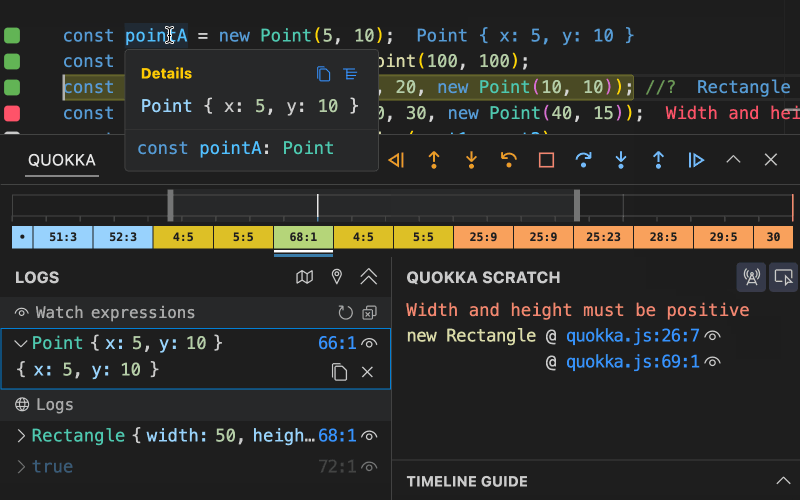
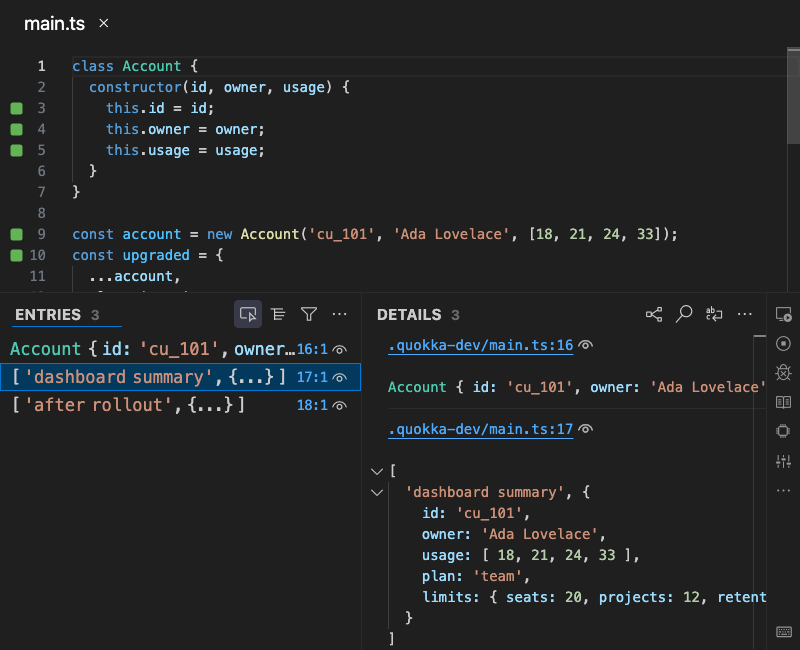
Quokka v3 is now available, with a redesigned output experience that makes runtime values easier to navigate, inspect, compare, and understand without leaving your editor.
A new Run Mode global setting can be used to control Quokka’s execution behavior on startup. The runMode setting can be set to auto (default), onsave, or ondemand to control how Quokka executes code when it starts up. This new setting allows you to always start Quokka in your preferred mode without needing to manually change it each time you start a new session.

Quokka Pro now streamlines exploratory workflows with a persistent Run on Demand mode, a one-key rerun command, and indicators that retain previous logs.

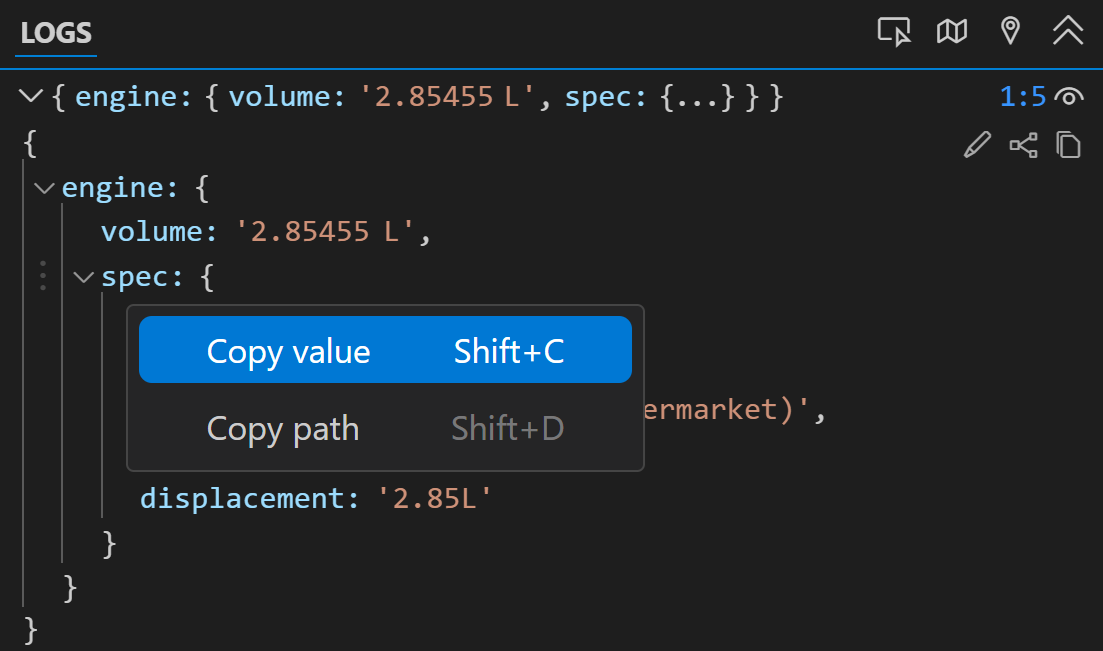
Quokka Logs now provide a convenient way to copy values and paths from log entries. This feature allows both root level and nested values to be quickly copied or identified. This is particularly useful when working with object hierarchies and array elements. These new copy actions are available through keyboard shortcuts and a new context menu.
The new Interactive Runtime Value Graphs feature lets you visualize runtime data as structured graphs directly in your editor. It’s useful for inspecting deeply nested objects or large data sets that are hard to parse in raw text form. The graph layout adapts well to various data shapes, and you can interactively collapse or expand branches and nodes to focus on the parts that matter. The graph updates automatically as values change, giving you a live view of your log’s state.
Quokka Pro for VS Code now provides quick, convenient ways to interact with snippets. New files can be created directly from snippets, and autologging is enabled when creating files this way. New commands have also been added to make creating and editing Quokka snippets quick and easy.
In addition to supporting ts-node to compile your TypeScript imports, Quokka now also supports tsx and @swc-node/register. These tools use less memory and are faster than ts-node while natively handling ESM, JSX/TSX and other modern syntax and TypeScript features that are not supported by ts-node. To load your TypeScript imports with tsx or @swc-node/register (instead of ts-node) simply install in your project (e.g. npm install tsx -D) or as a global Quokka dependency. More info available in our docs.
Quokka for VS Code and JetBrains editors now supports Value Peek, a way to quickly see any value just by hovering over it. To keep your editor clutter-free, values shown this way will not appear next to your code or in Quokka’s Logs list by default (but can be made to appear using the “Explore Value” action available in the hover). Value Peek can be toggled on or off to fit with your workflow.
Quokka now supports running your code using Bun as its runtime, a fast and modern alternative to Node. If you already use Bun in one or more of your project.json scripts, Quokka will prompt you to use Bun to run your code. You may also configure Quokka to use Bun by default in your Quokka settings. This enhancement requires no extra setup beyond having Bun installed, making it a perfect companion to Quokka. If you prefer sticking with Node, you can configure Quokka to never attempt to use Bun.

Quokka has been a trusted companion to millions of software developers worldwide, providing instant feedback for sandboxing, prototyping, and learning, and making debugging smoother for more than seven years. Now, following the recent release of Wallaby v2, it’s Quokka’s turn to evolve.