The JavaScript Playground in your Editor
Quokka.js runs JavaScript and TypeScript with instant feedback, displaying runtime values in your editor as you type.

Why Quokka?
Quokka makes exploring, learning, and testing JavaScript / TypeScript blazingly fast. By default no config is required, simply open a new Quokka file and start experimenting. Focus on writing code instead of writing bespoke config files just to try a simple idea or learn a new language feature.
Unlike online REPL tools and standalone playgrounds, Quokka runs your JavaScript code in VS Code, WebStorm, or Sublime, so you can avoid context switching while benefiting from your familiar editor environment and its extensions. You can also import and run files and modules from your project.
Quokka 'Community' edition is free for everyone, brought to you with love by the Wallaby.js team. While working on our Wallaby.js product, our team faces thousands of complex scenarios related to instrumentation, and execution of JavaScript code. Quokka uses the same technology as Wallaby.js, making years of research and development available for free.
We offer a commercial 'Pro' edition that provides a number of additional advanced features, such as the ability to display and explore runtime values without having to modify your code. If you're a real JavaScript ninja and would like the same live-editing experience when writing your unit tests (and a whole lot more), then also check out Wallaby.js.



Live Execution and Results
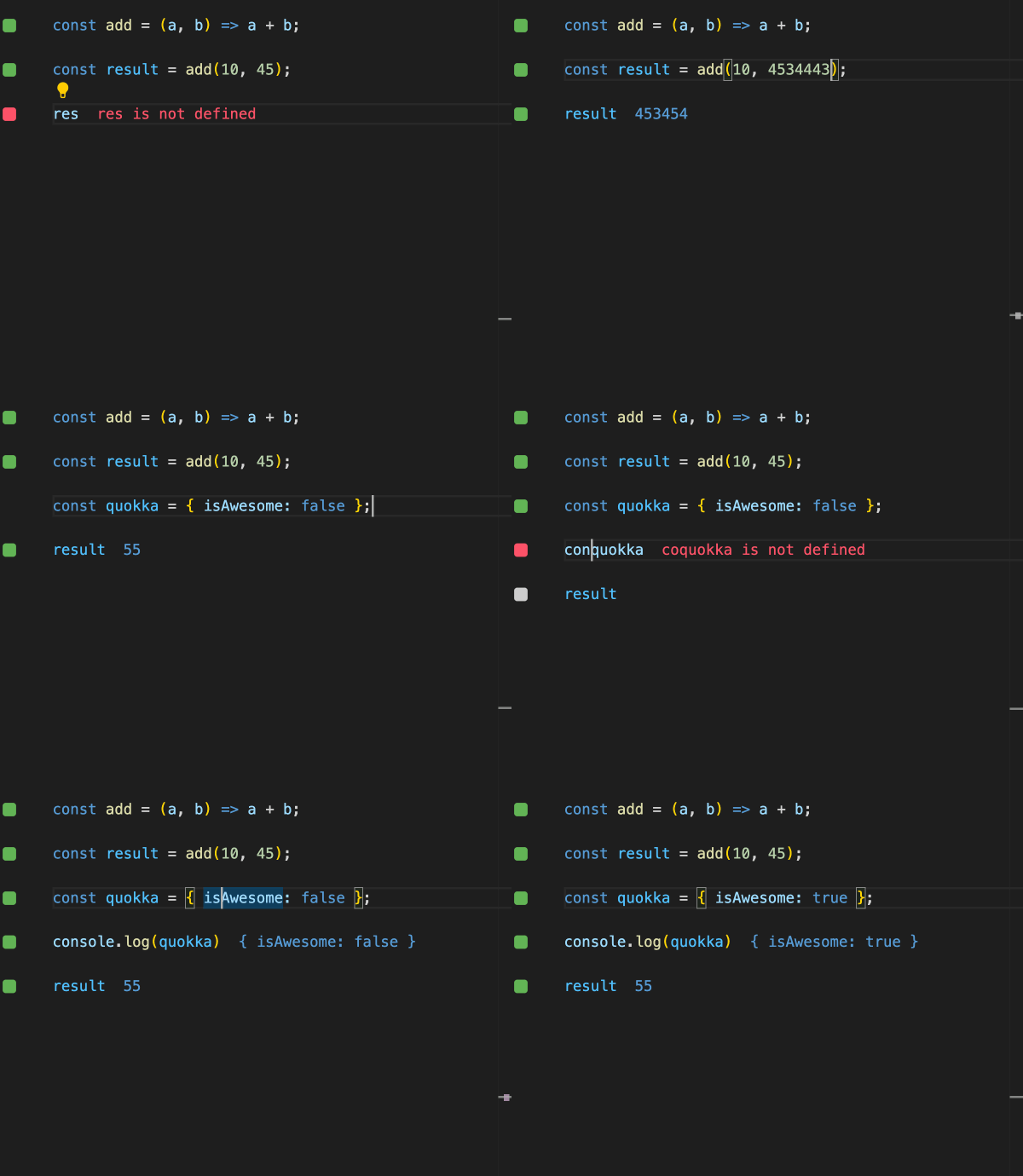
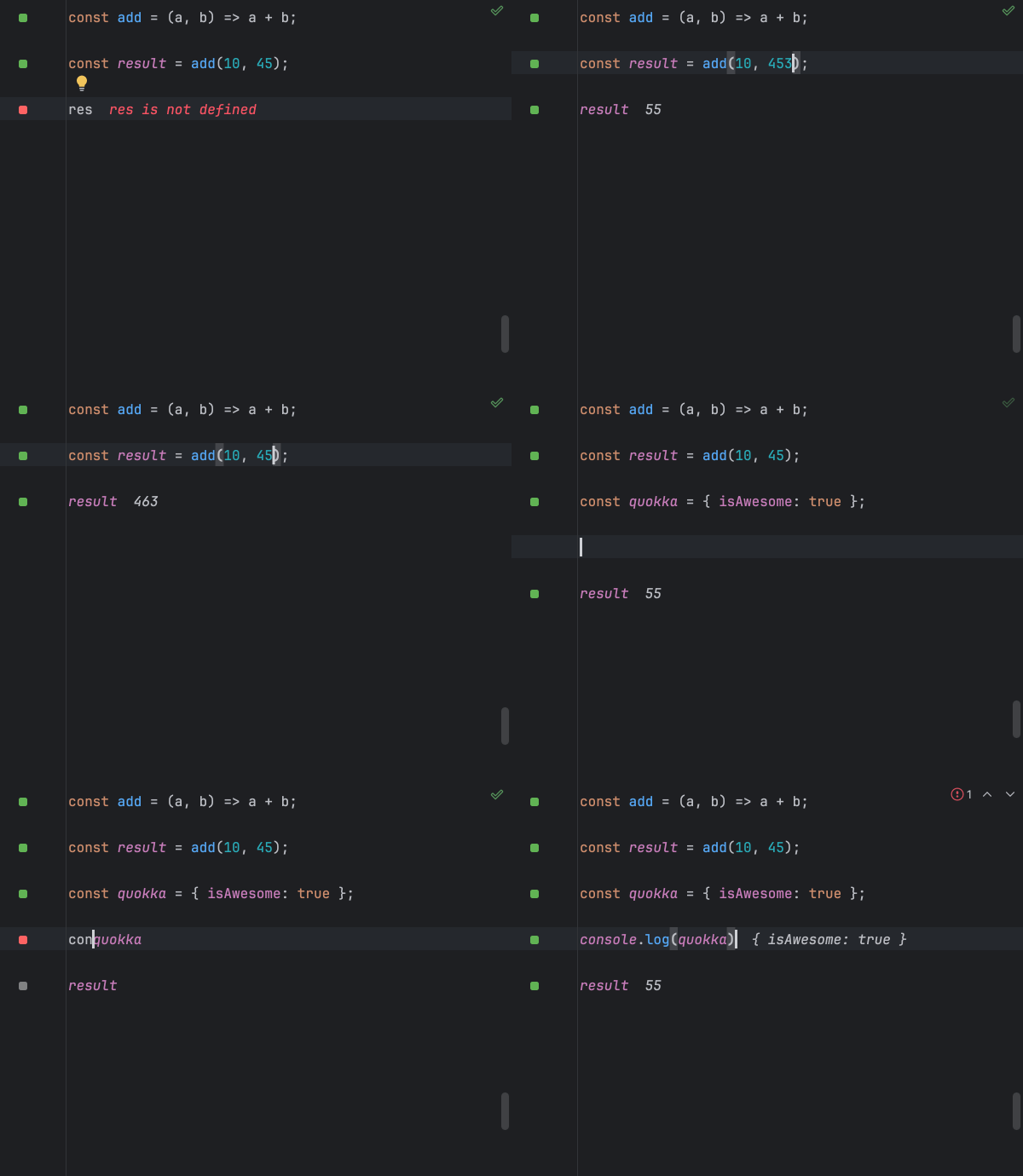
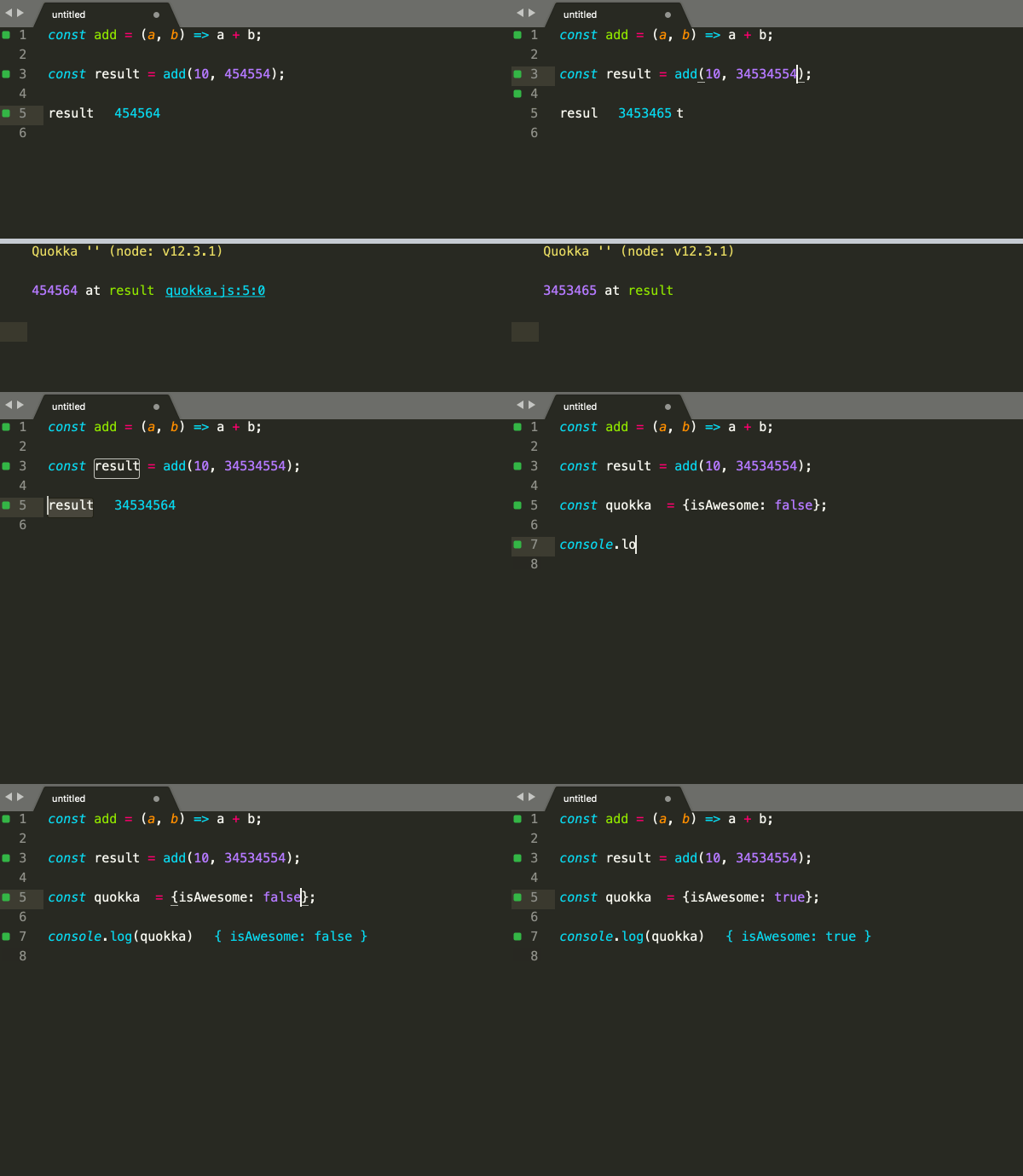
Code runs immediately as you type, on unsaved changes; no need to do anything manually or switch context. Error messages are displayed right next to the code that caused them. Console logs and identifier expression values are displayed inline as well.
Live Coverage
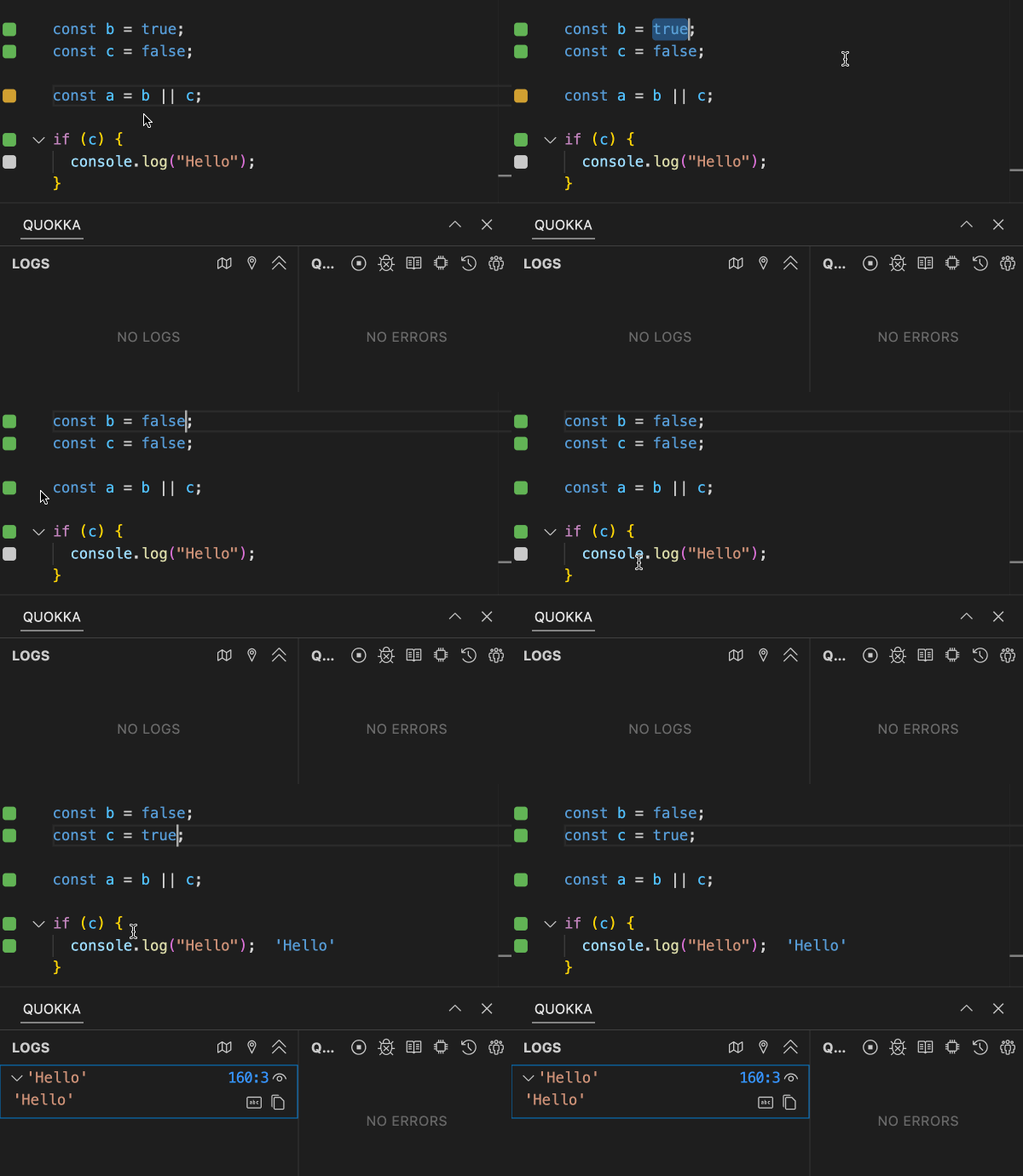
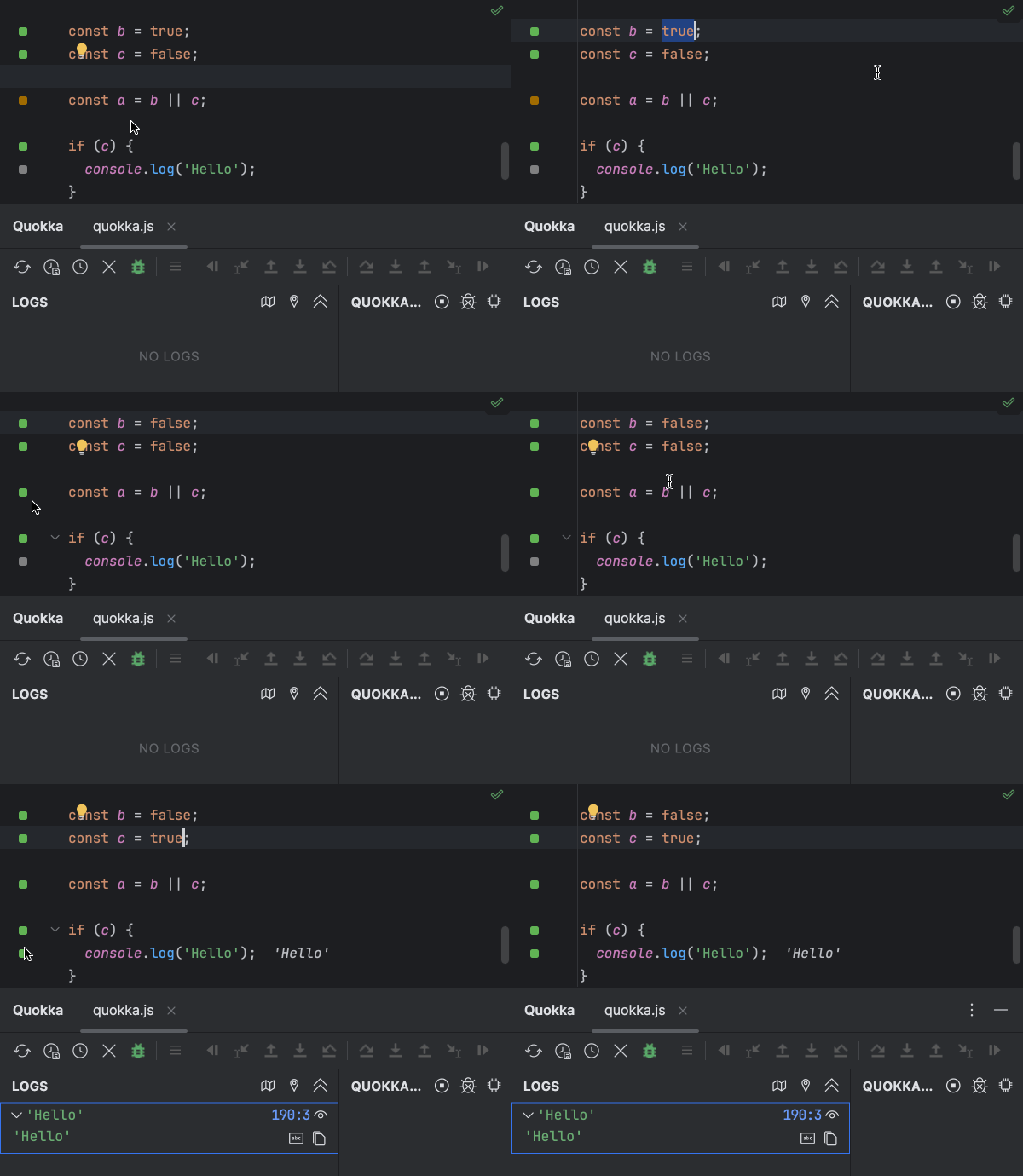
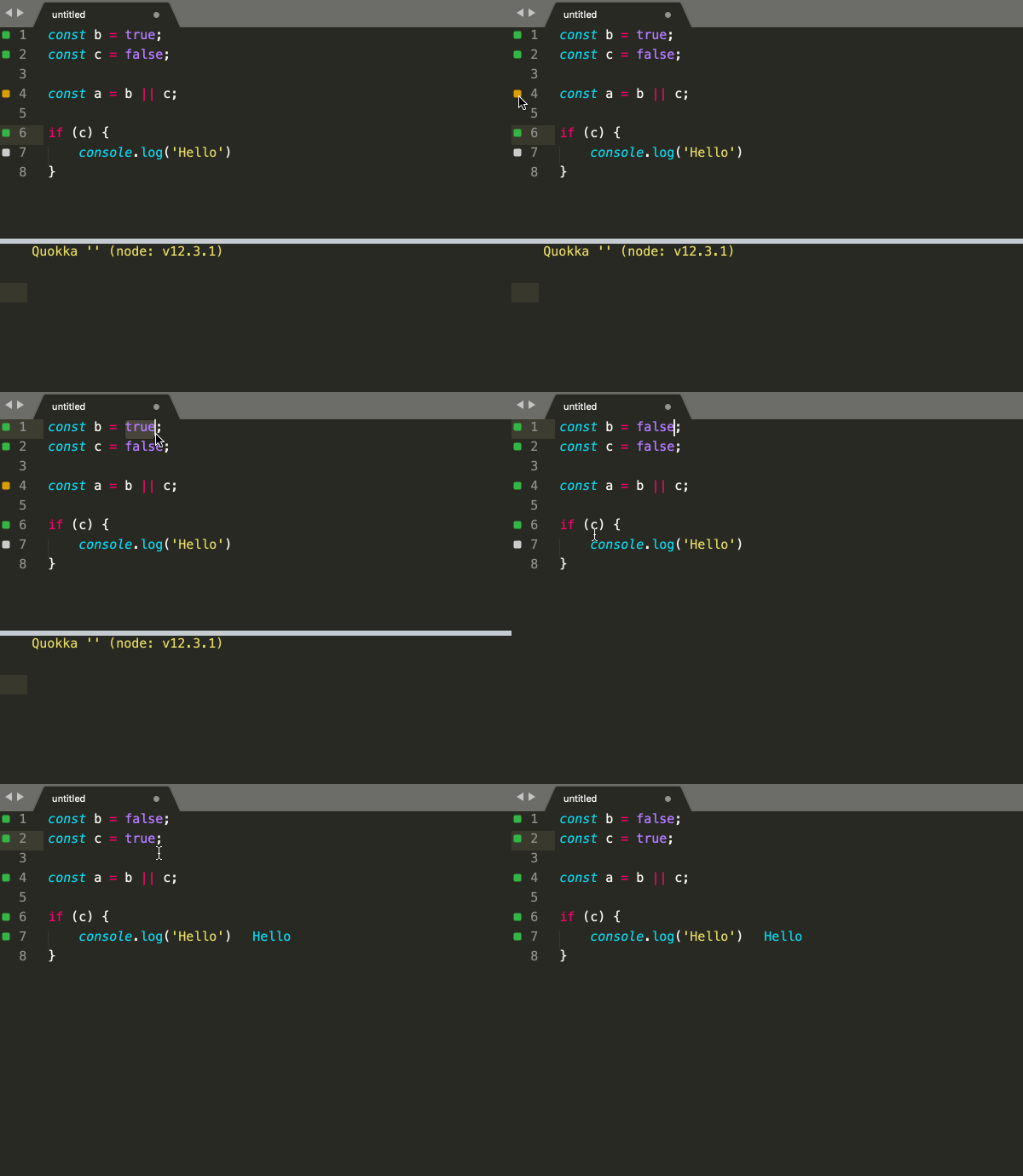
Indicators in the gutter of your code editor are constantly updated in realtime to display code coverage so you can quickly see which lines of code are the source of an error, which are fully covered, only partially covered or not covered at all.
Snaps
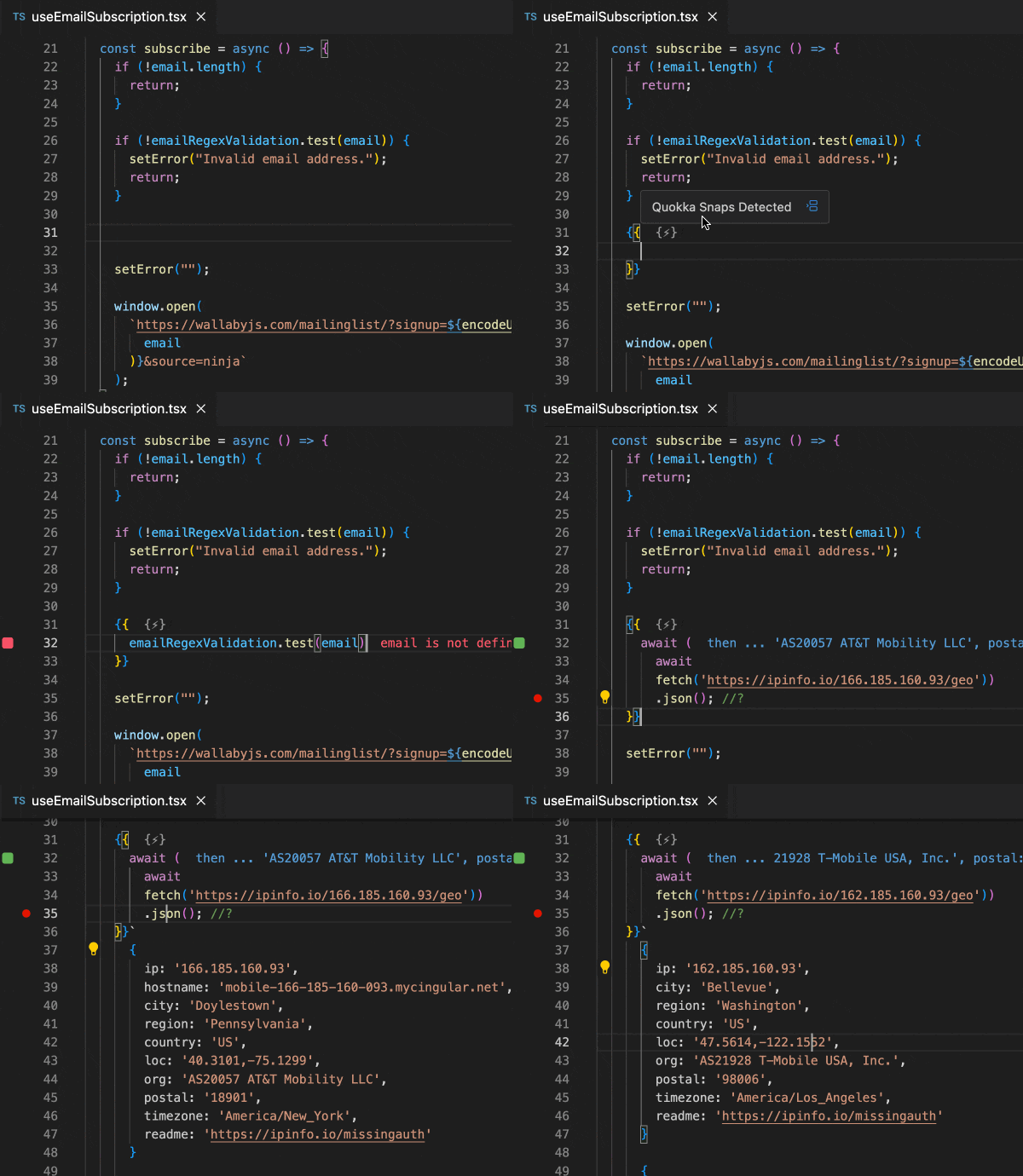
Execute context aware code snippets directly in your editor, anywhere in your project, including Vue.js single file components and Svelte files, even if your application/tests are not working. Enjoy real-time updates and seamless access to file's program scope, import/exports, global scope variables/functions, and more.
Interactive Value GraphsNEW
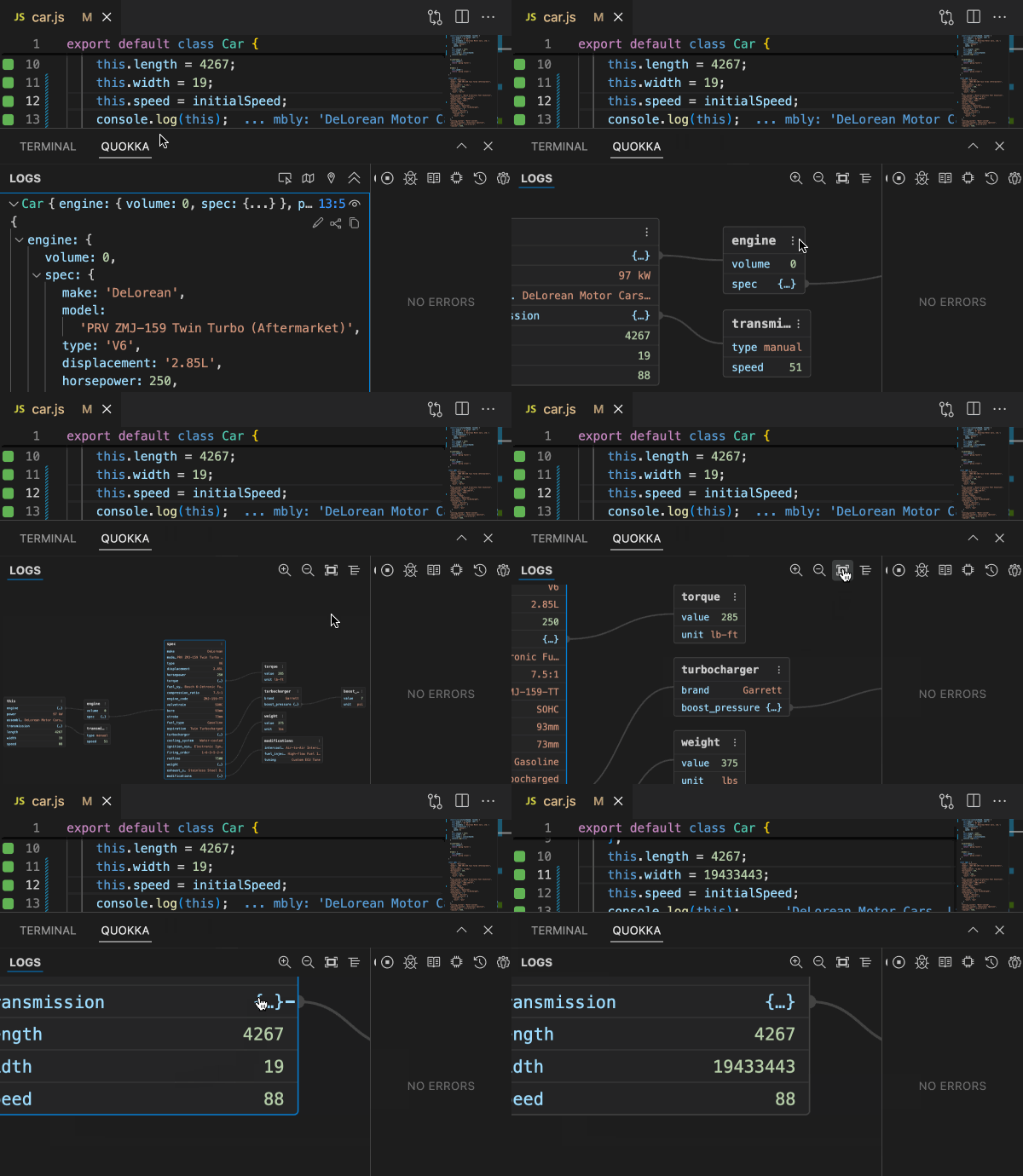
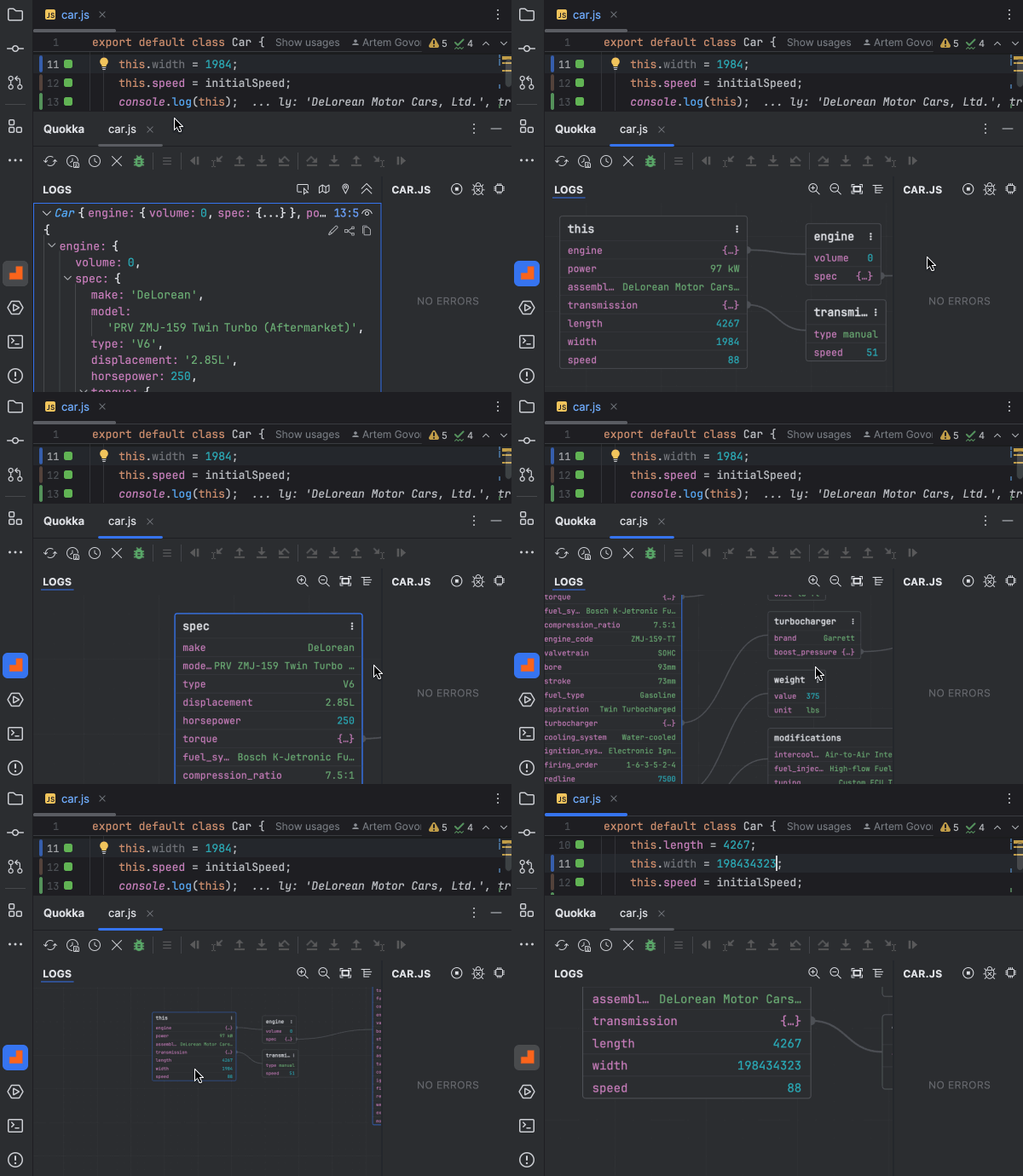
Interactive Runtime Value Graphs let you explore complex data structures visually, right in your editor. Expand or collapse branches to focus on what matters. The graph stays in sync with your code, updating live as values change.
Logpoints
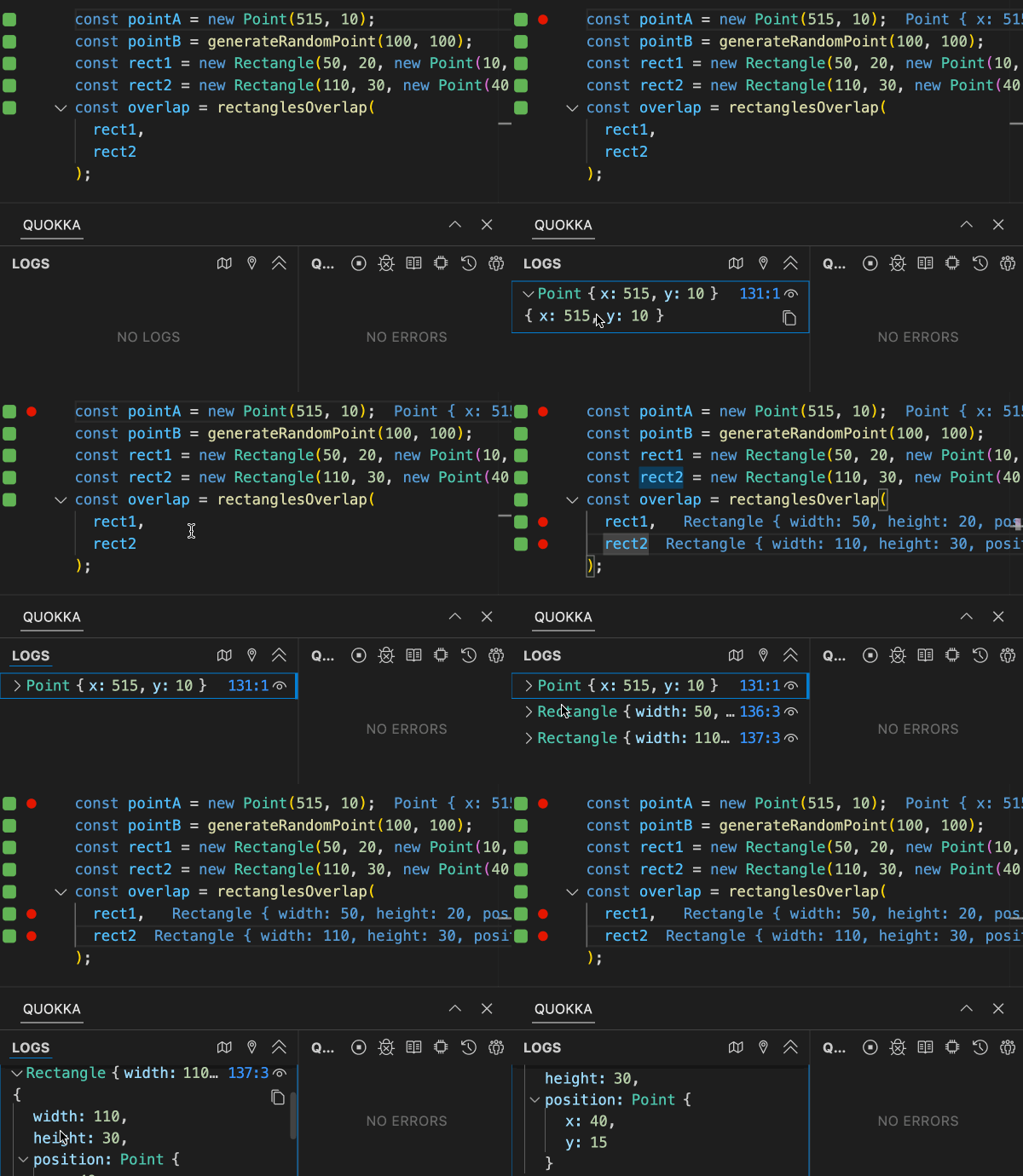
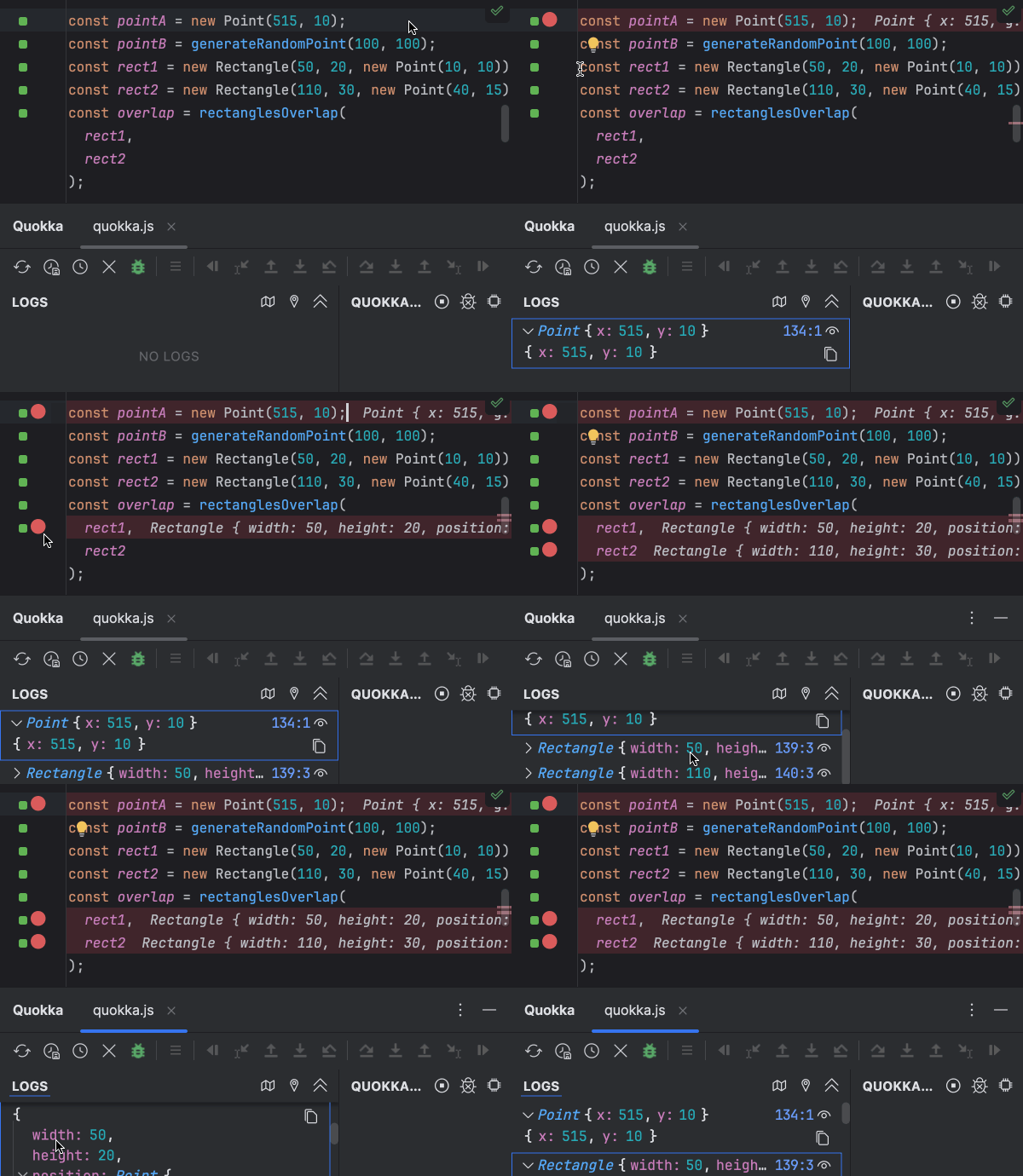
Use breakpoints to log values without modifying your code. Regular breakpoints can be used to log line values, and inline breakpoints can be used to log values within a line, whether from multiple statements on the same line or intermediate results in an invocation chain.
Time Machine
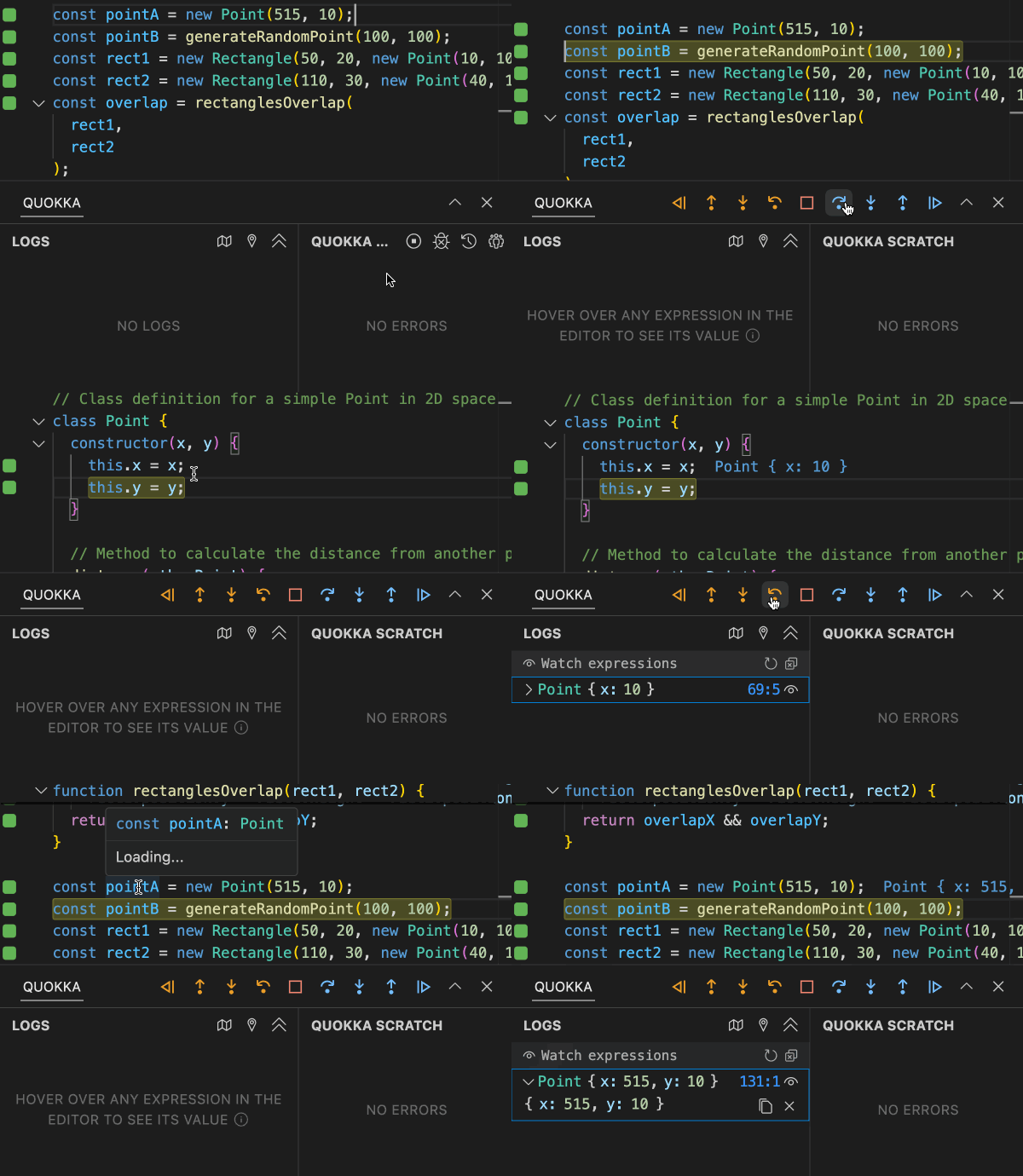
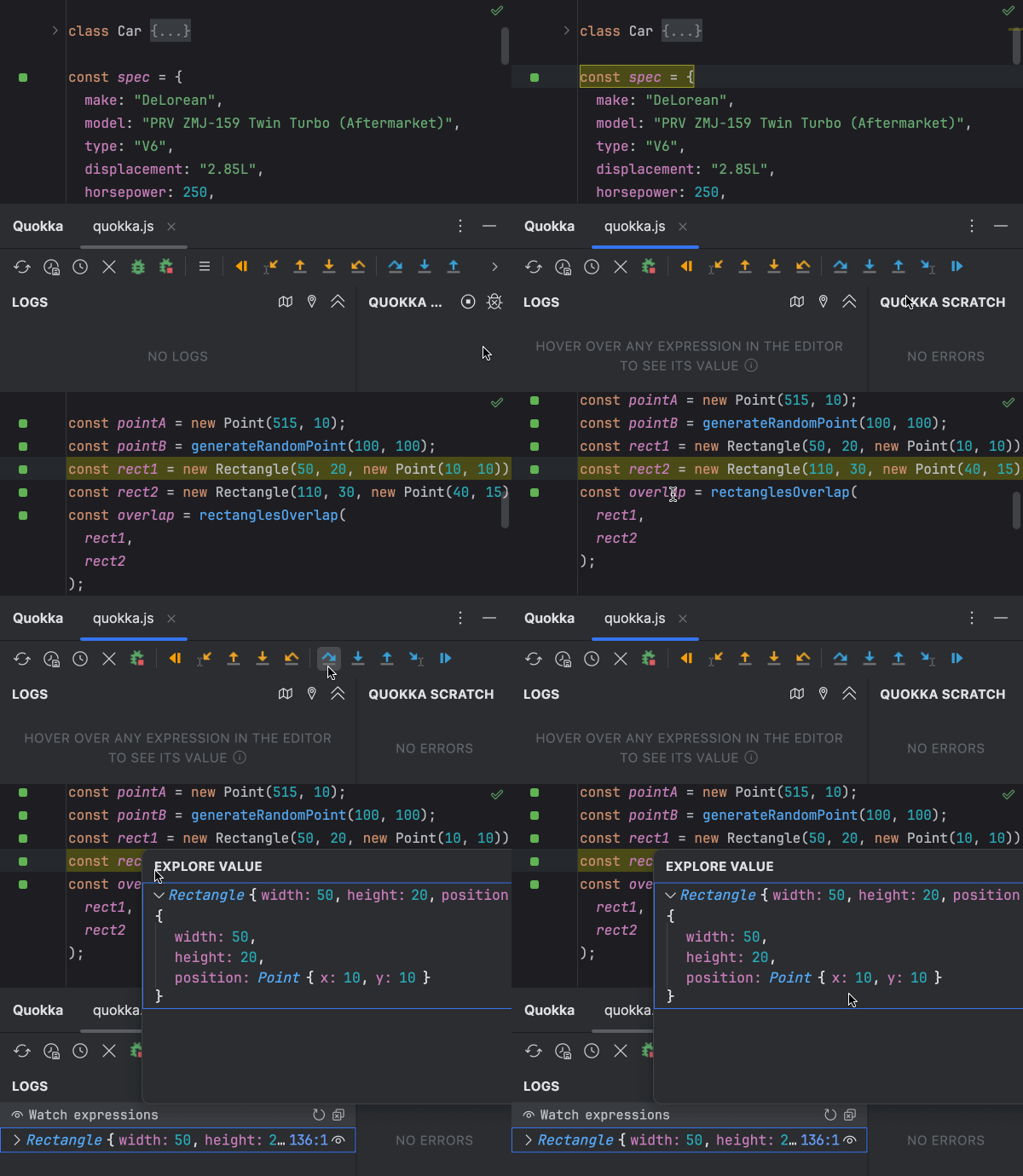
Move forward and backwards through your code to understand how your code executes. Time Machine allows you to auto-play or jump to a specific line of code, view runtime values, edit-and-continue and step into, over and out of your code.
Interactive TimelineNEW
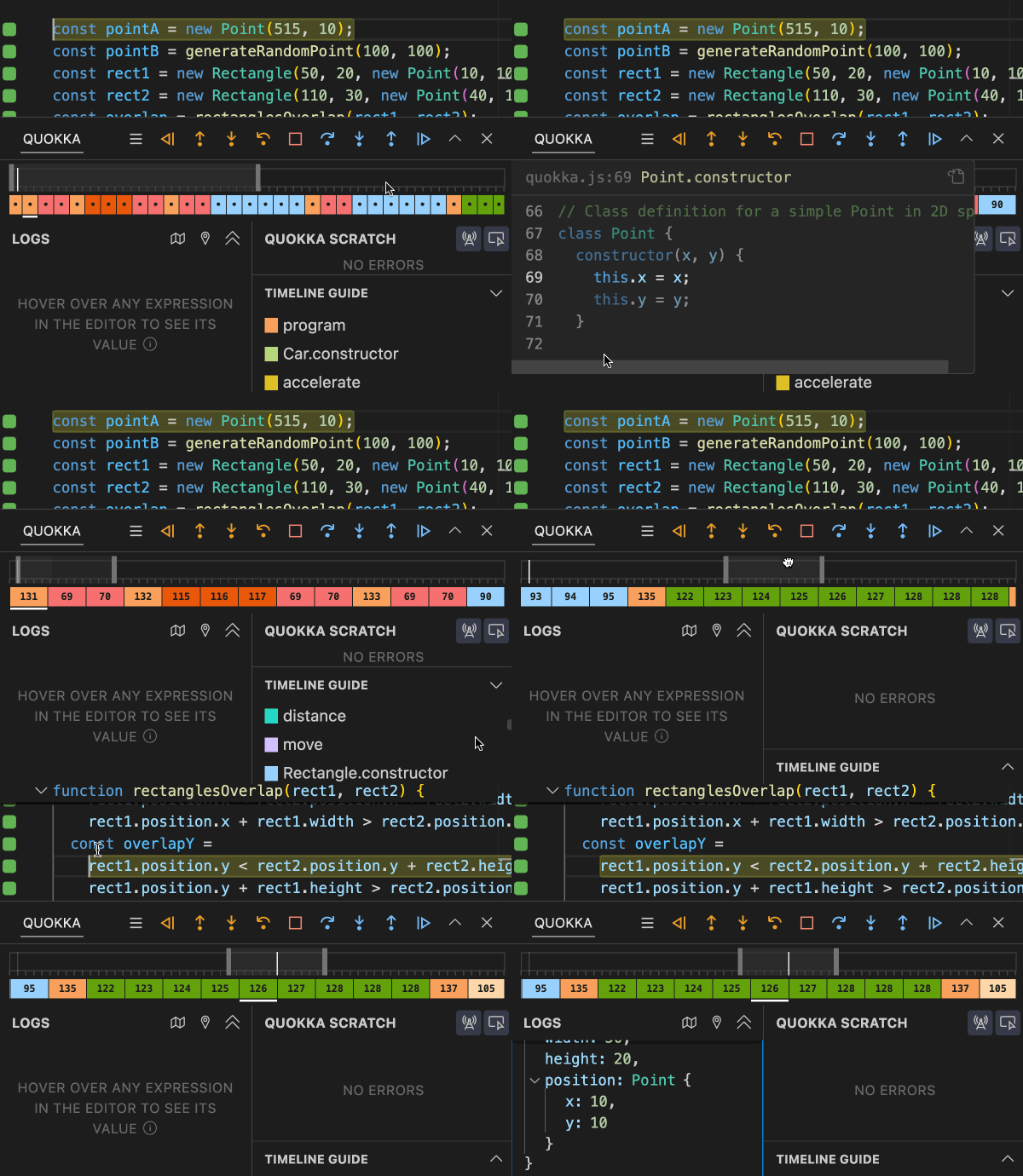
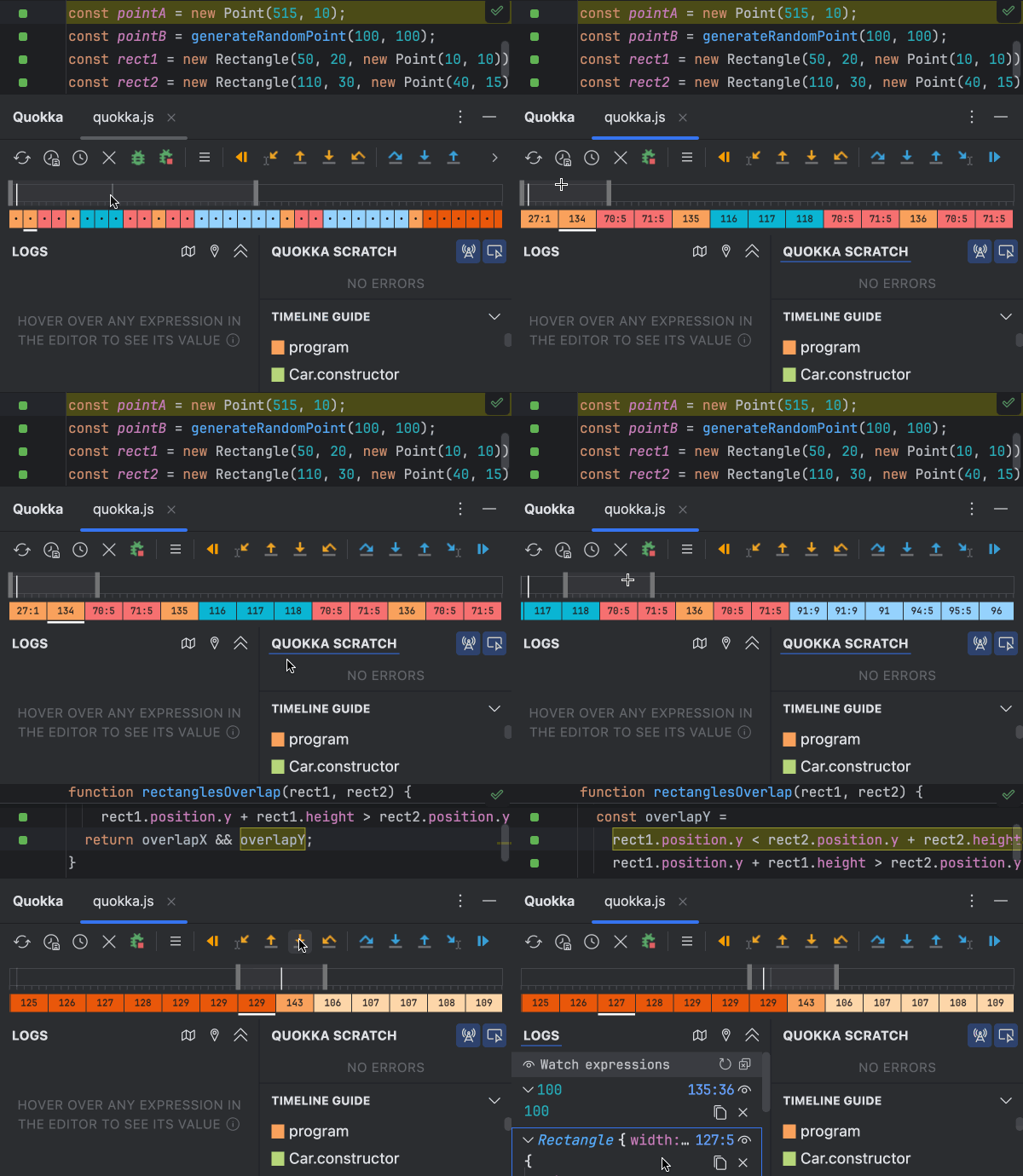
Timeline shows color-coded transitions between different functions, and code lines. It also highlights logs, stack traces and errors, showing where they occurred along with past and future hits for the current line - providing valuable context for debugging.
Codeclip
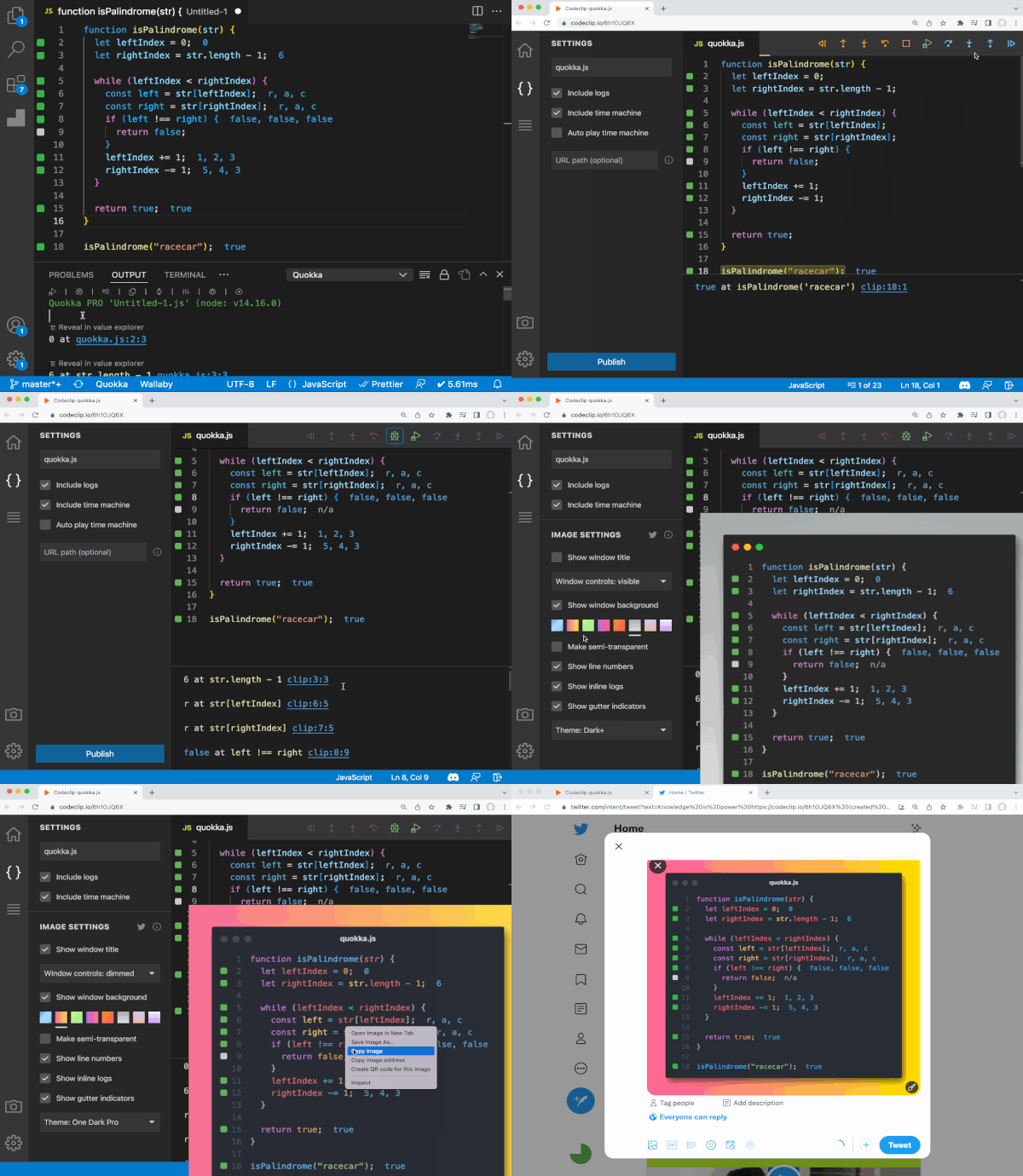
Share feature allows you to share code that you run with Quokka, as well as its output and time machine recording with the world. After upload, you have a chance to review it and change some settings before publishing. Check out our example at Codeclip.io.
Code Stories
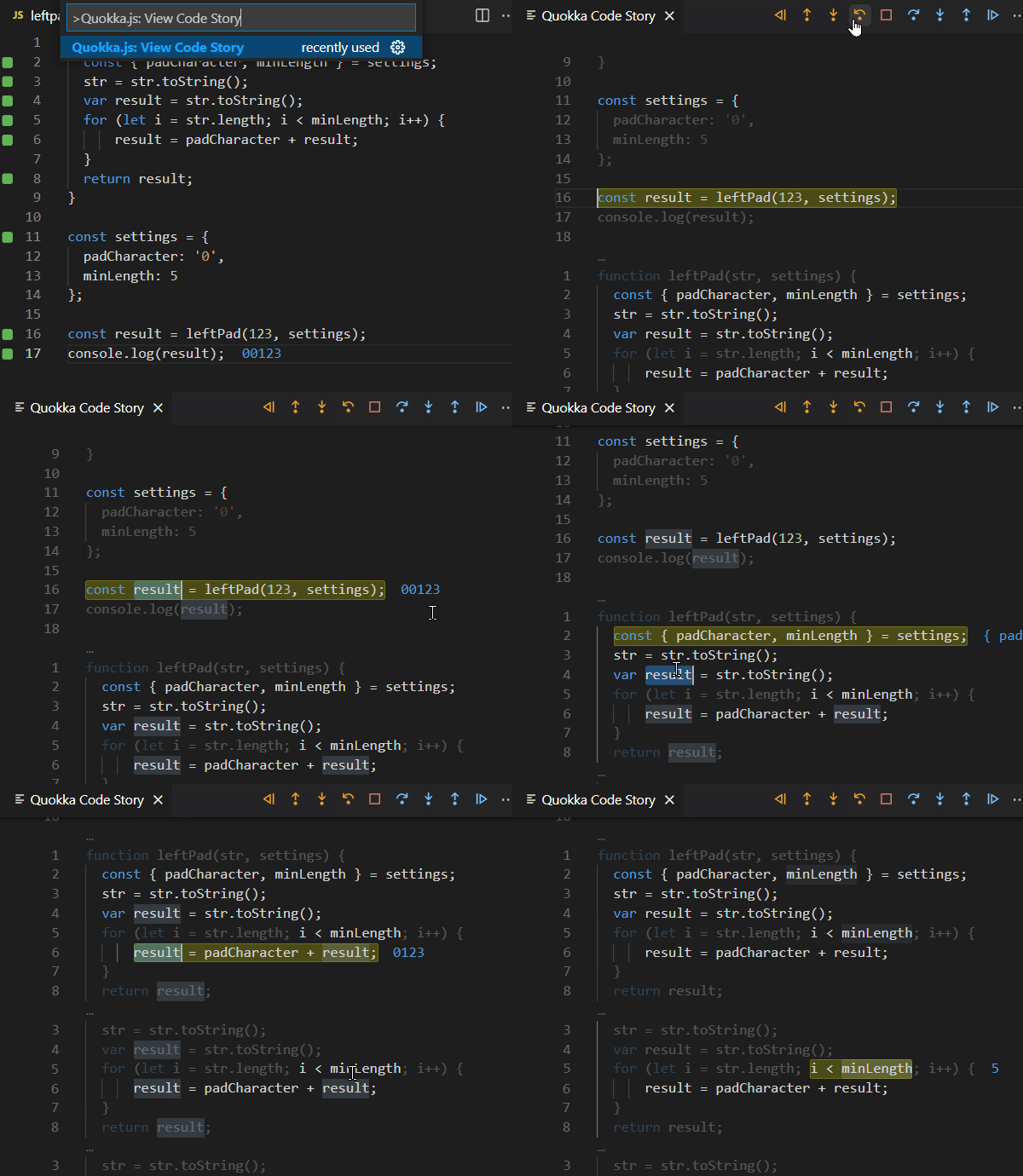
Inspect the code that Quokka is executing in a single continuous view. Simply select a variable or expression to see its runtime value. The continuous view of executing code reduces both context switching and the time taken to understand what code is doing.
Value ExplorerNEW
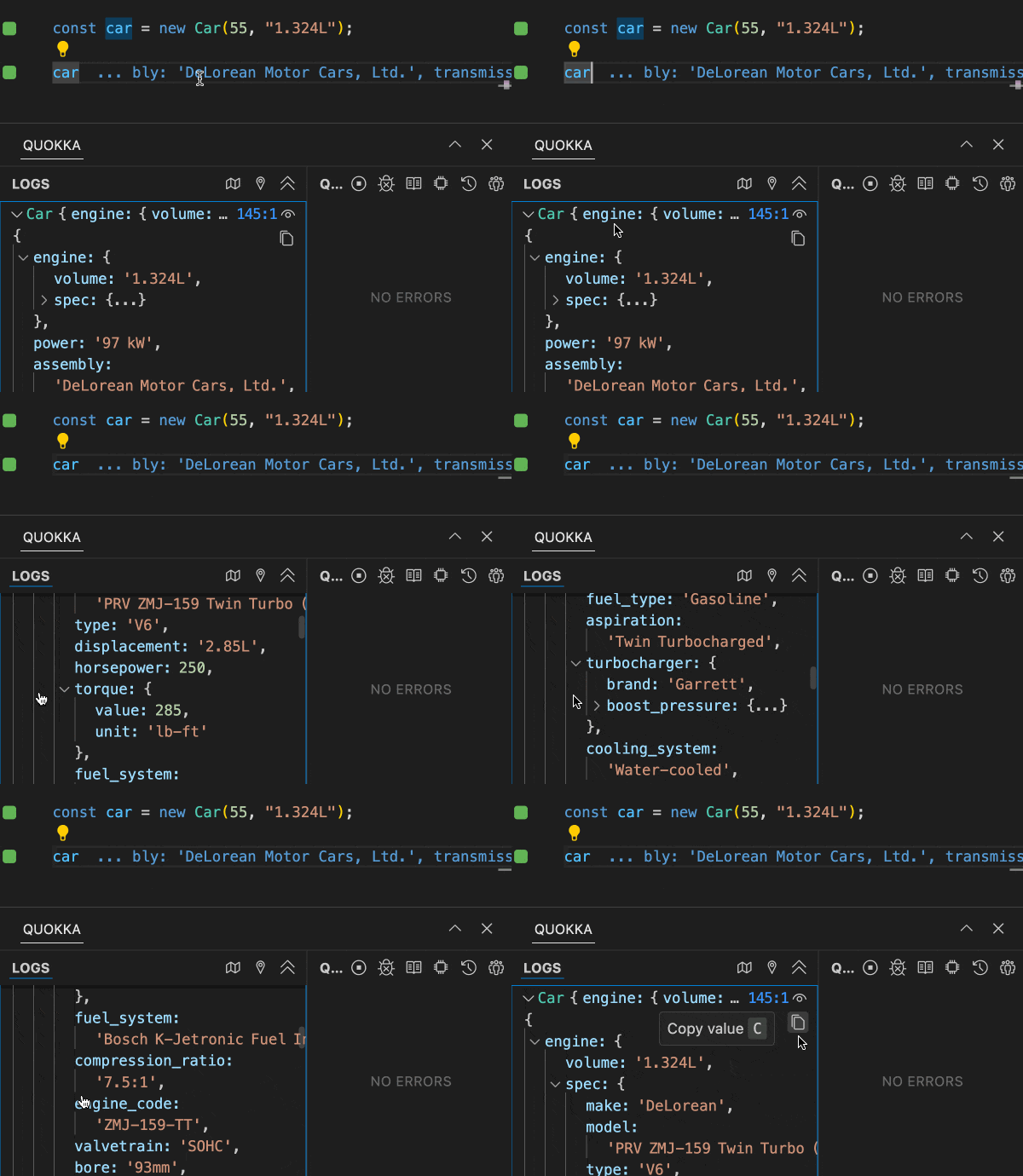
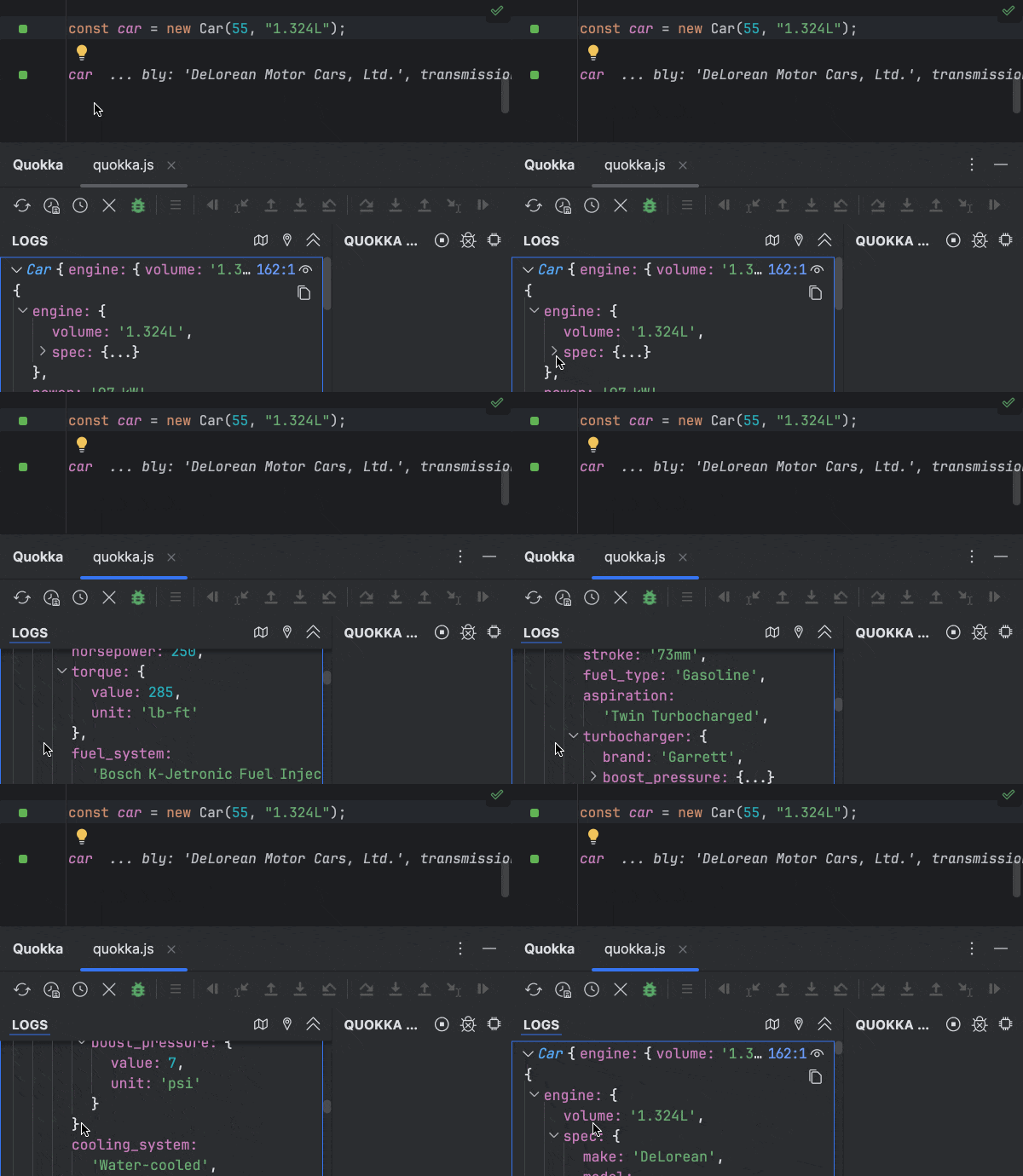
Value Explorer allows non-primitive runtime values to be viewed and explored in an easy-to-navigate real-time treeview. This feature is great for exploring larger objects and makes debugging easier and faster. Values can be copied directly to the clipboard.
Live Comments and Values
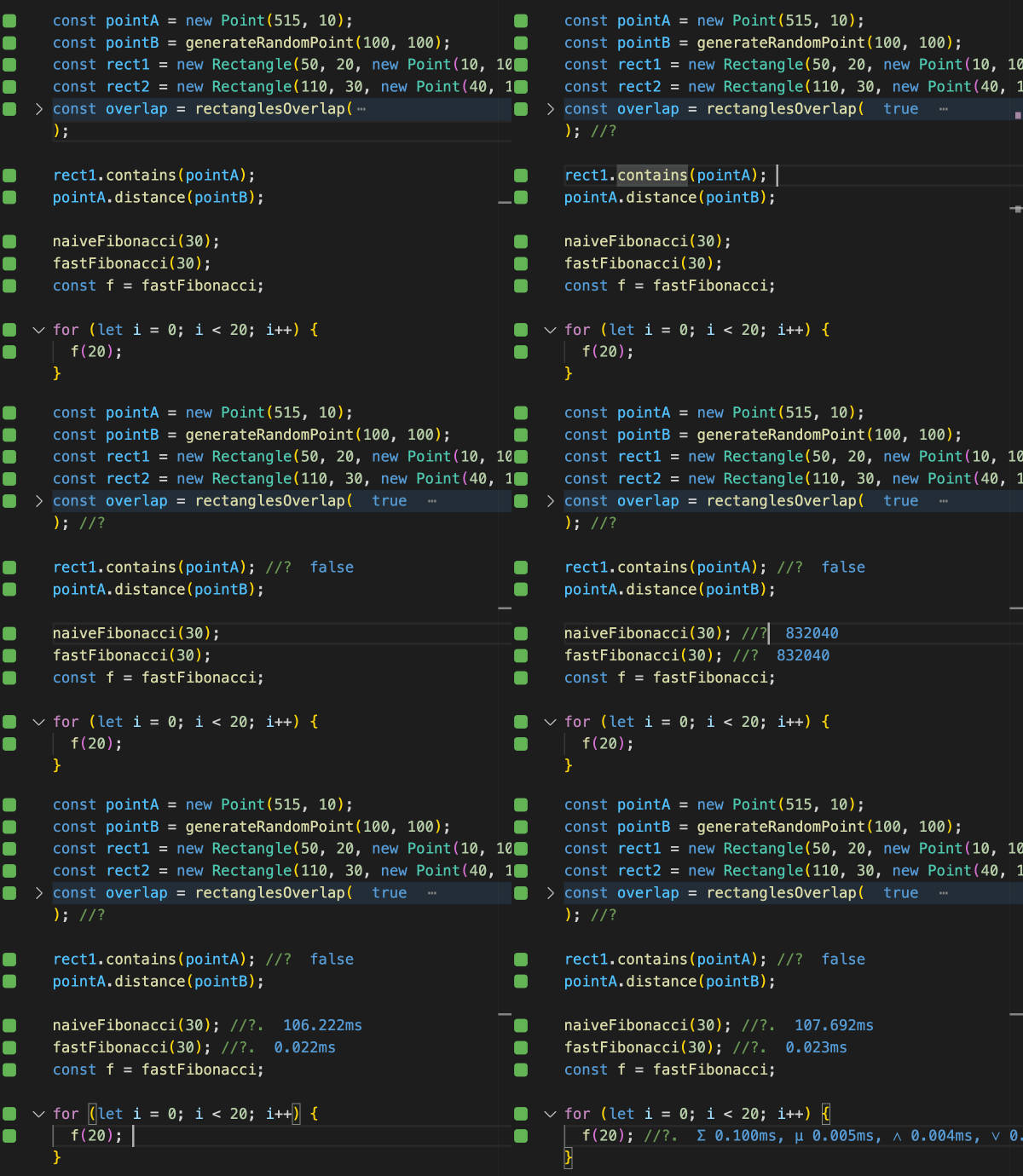
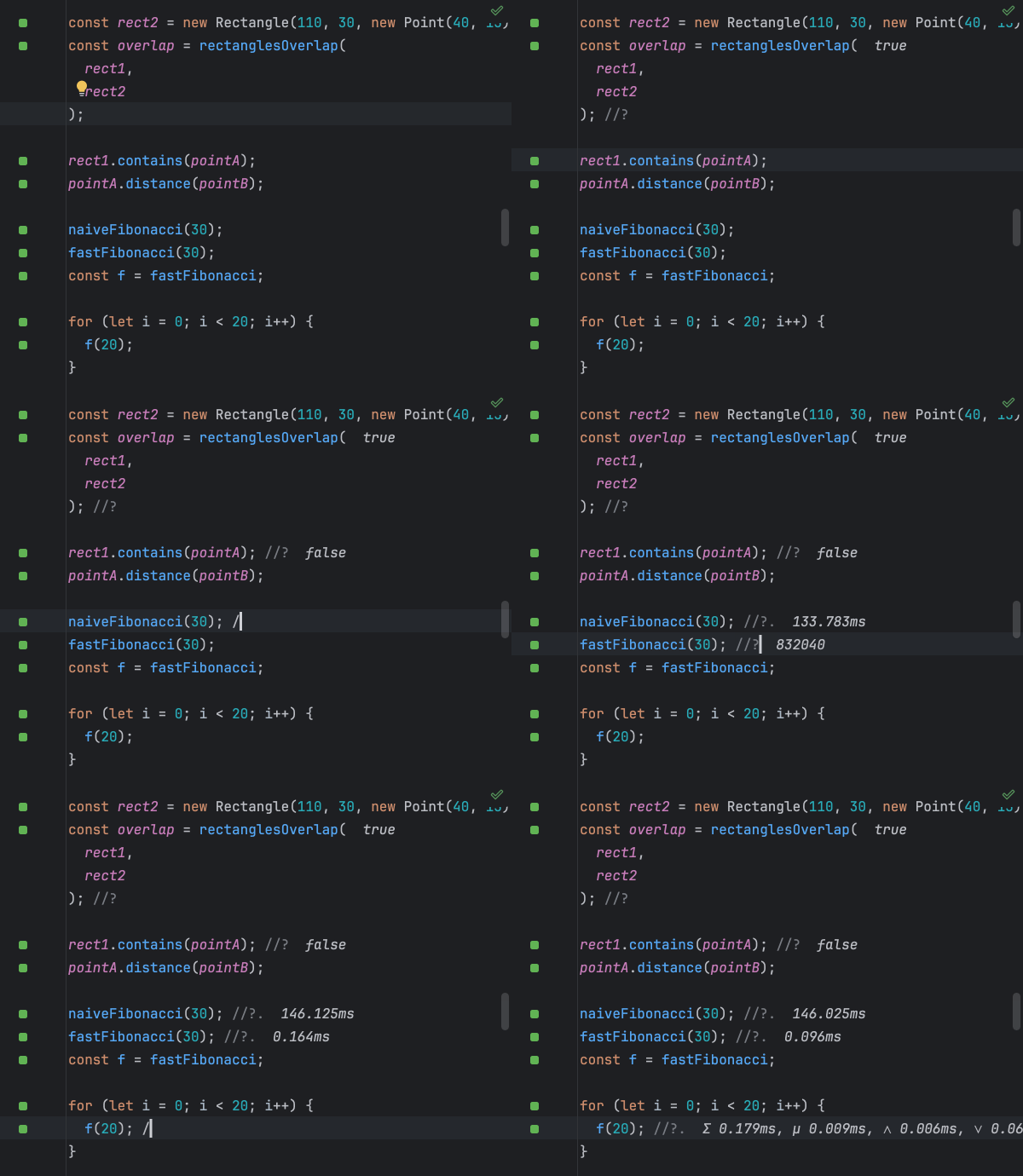
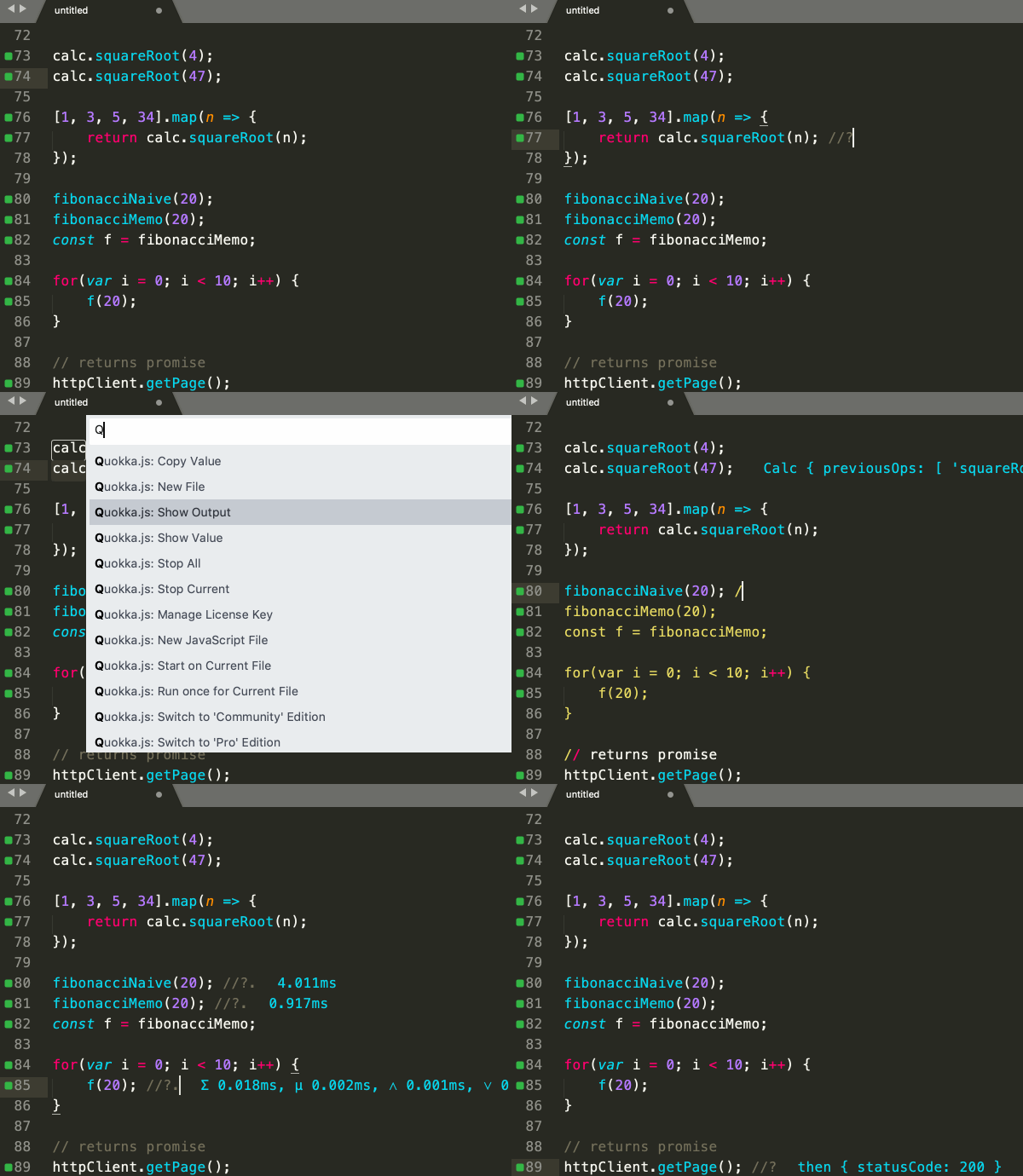
Show and copy expression values by selecting them in your editor or with editor commands, accessible using keyboard shortcuts. A special comment format can also be used to evaluate any expressions and includes the ability to measure code execution times.
Project Files Import
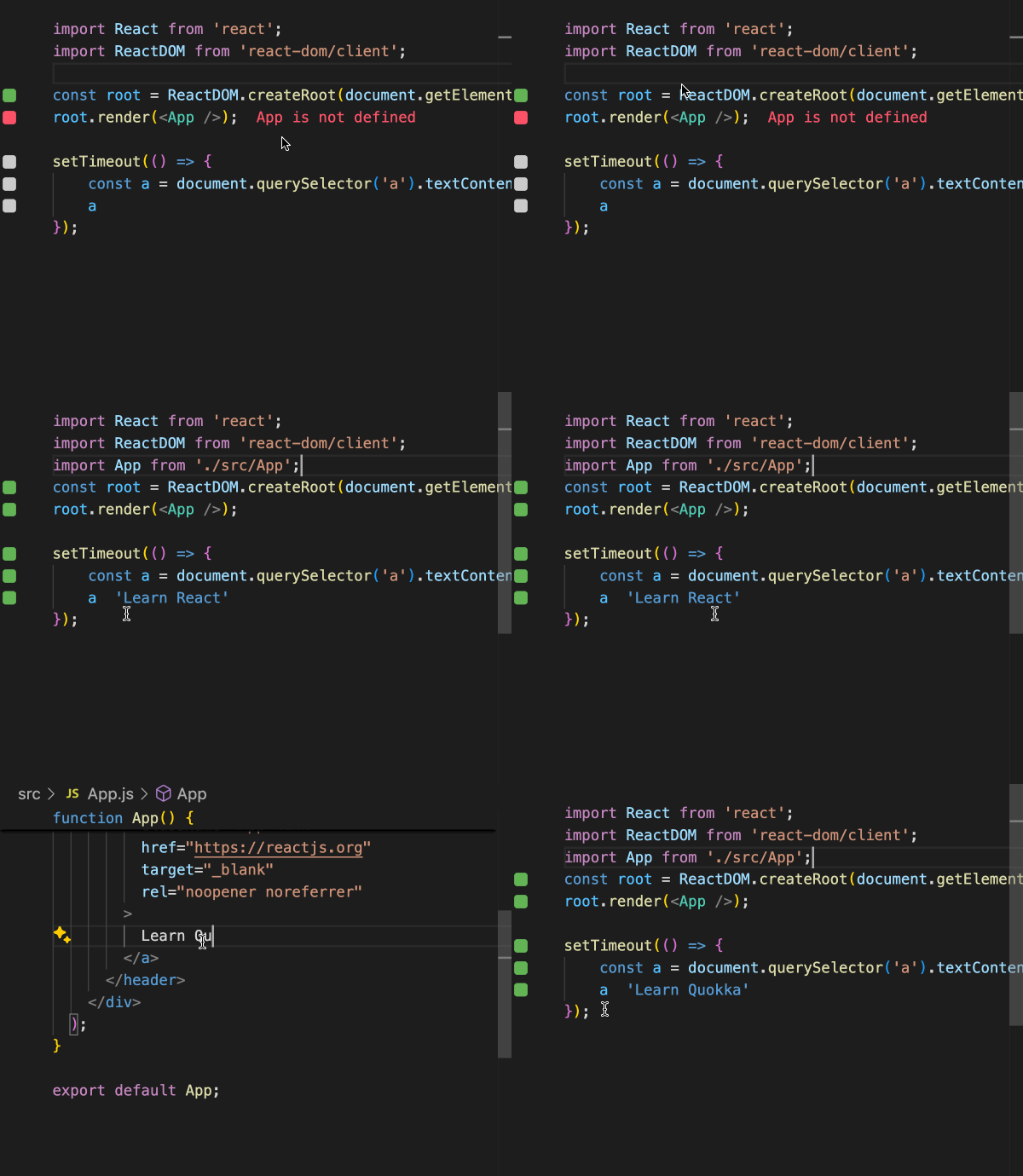
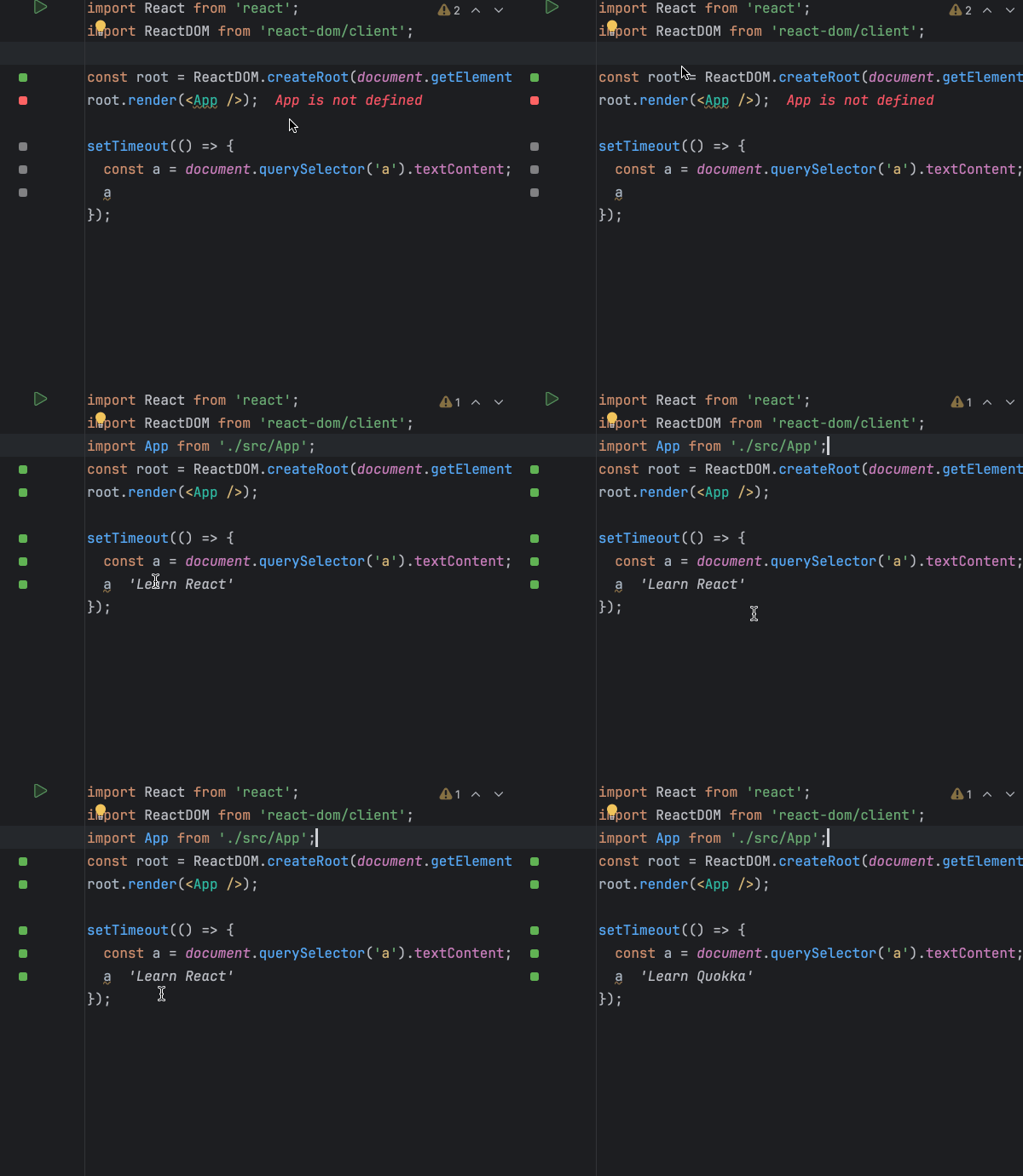
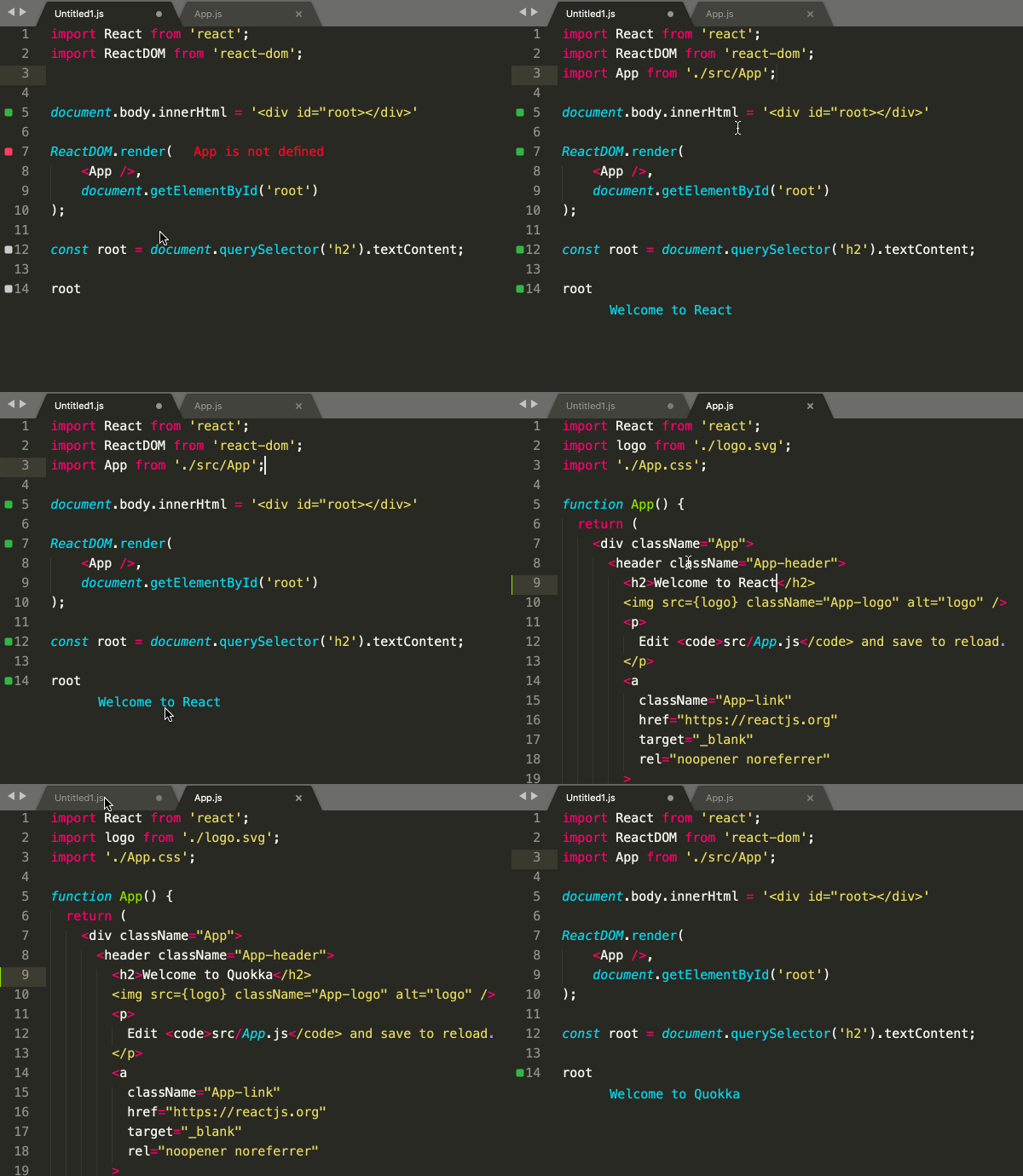
Import any files from your project into your Quokka file. Quokka will watch project files for changes and automatically update when dependent files change. Babel or TypeScript may be used for imported files compilation.
CPU Profiler
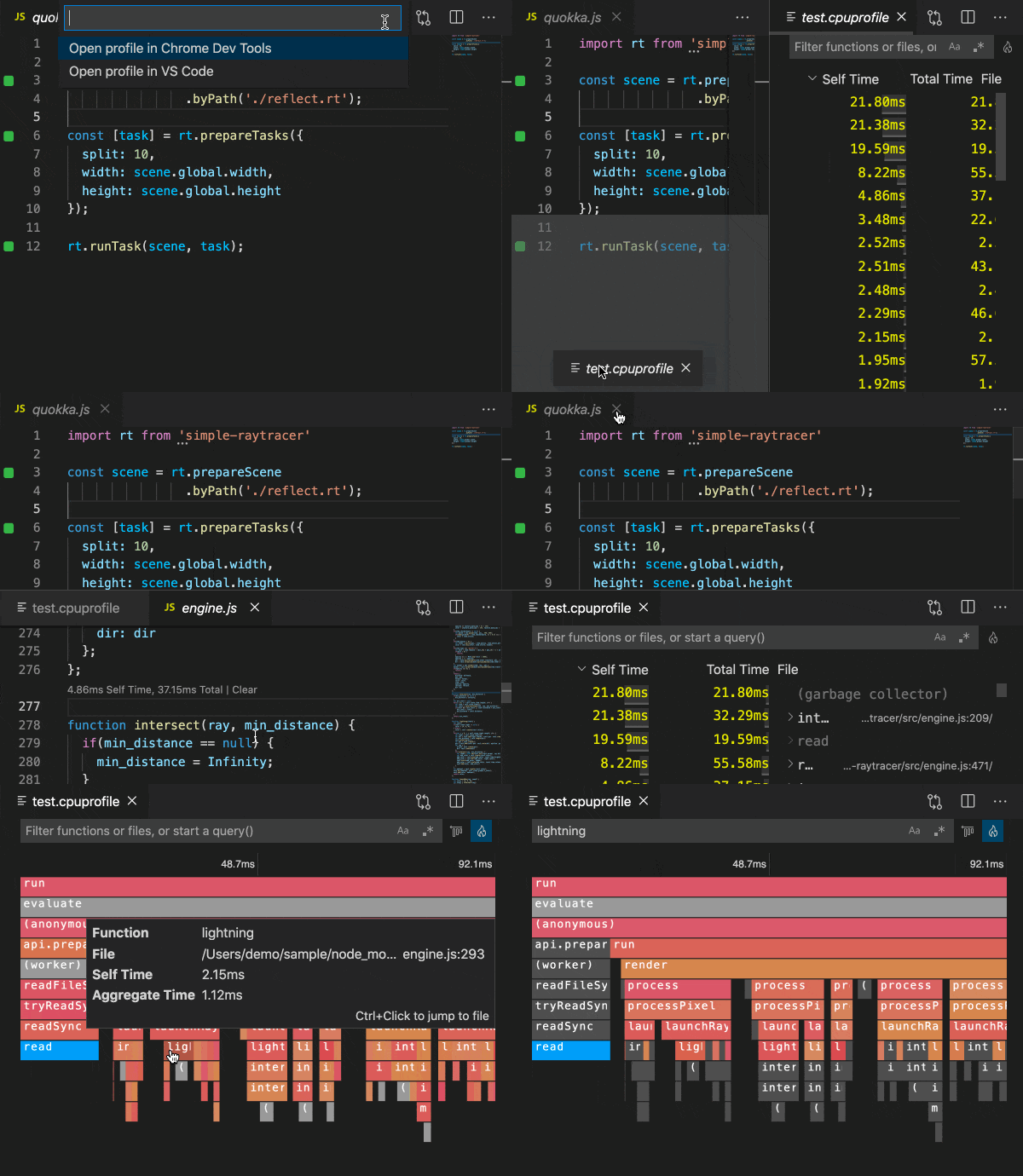
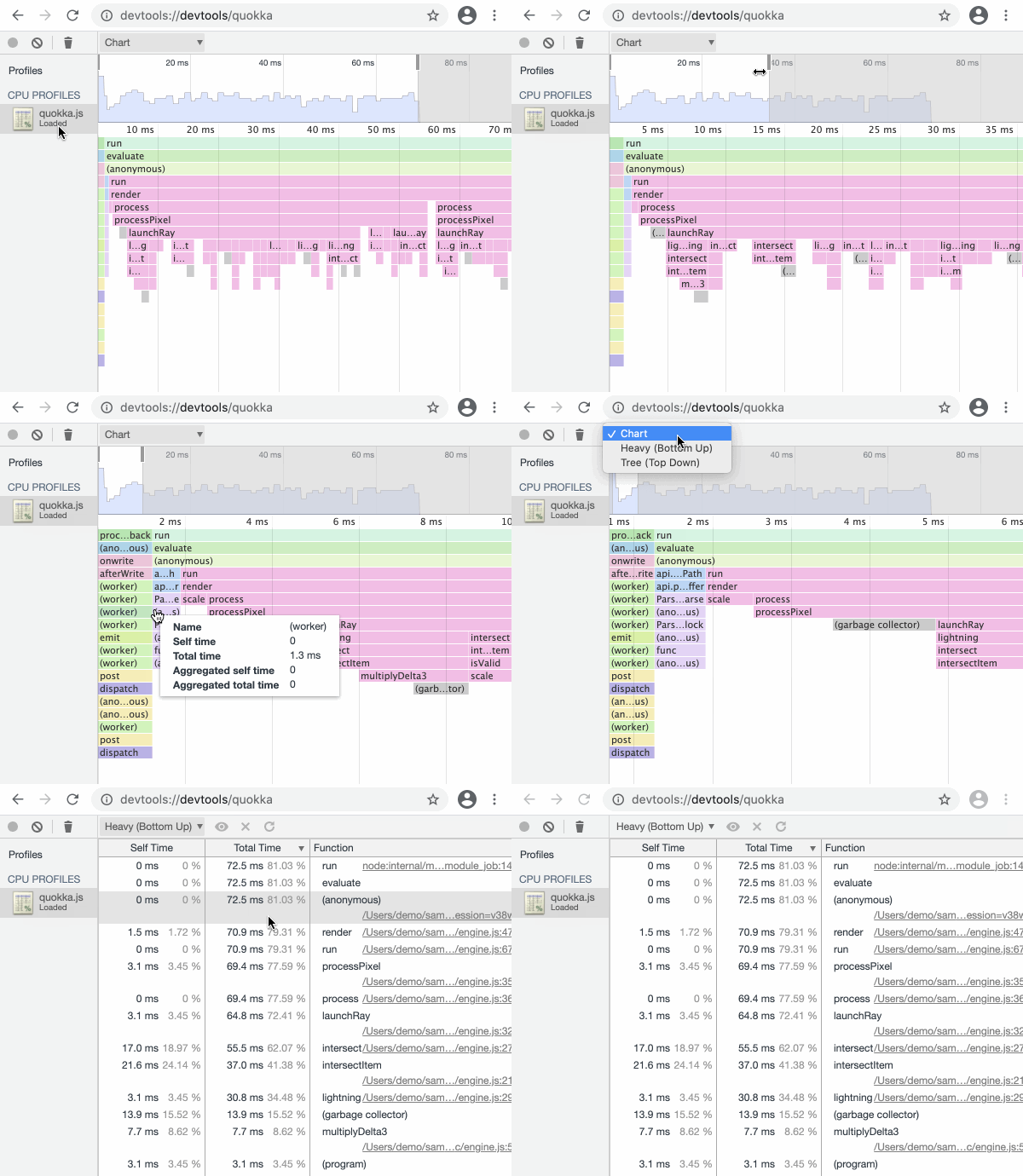
CPU Profiler allows you to quickly record the CPU usage profile of your code to analyze its runtime performance. Any links that are provided that reference your project files will be opened in your editor when you click them.
Quick Package Install
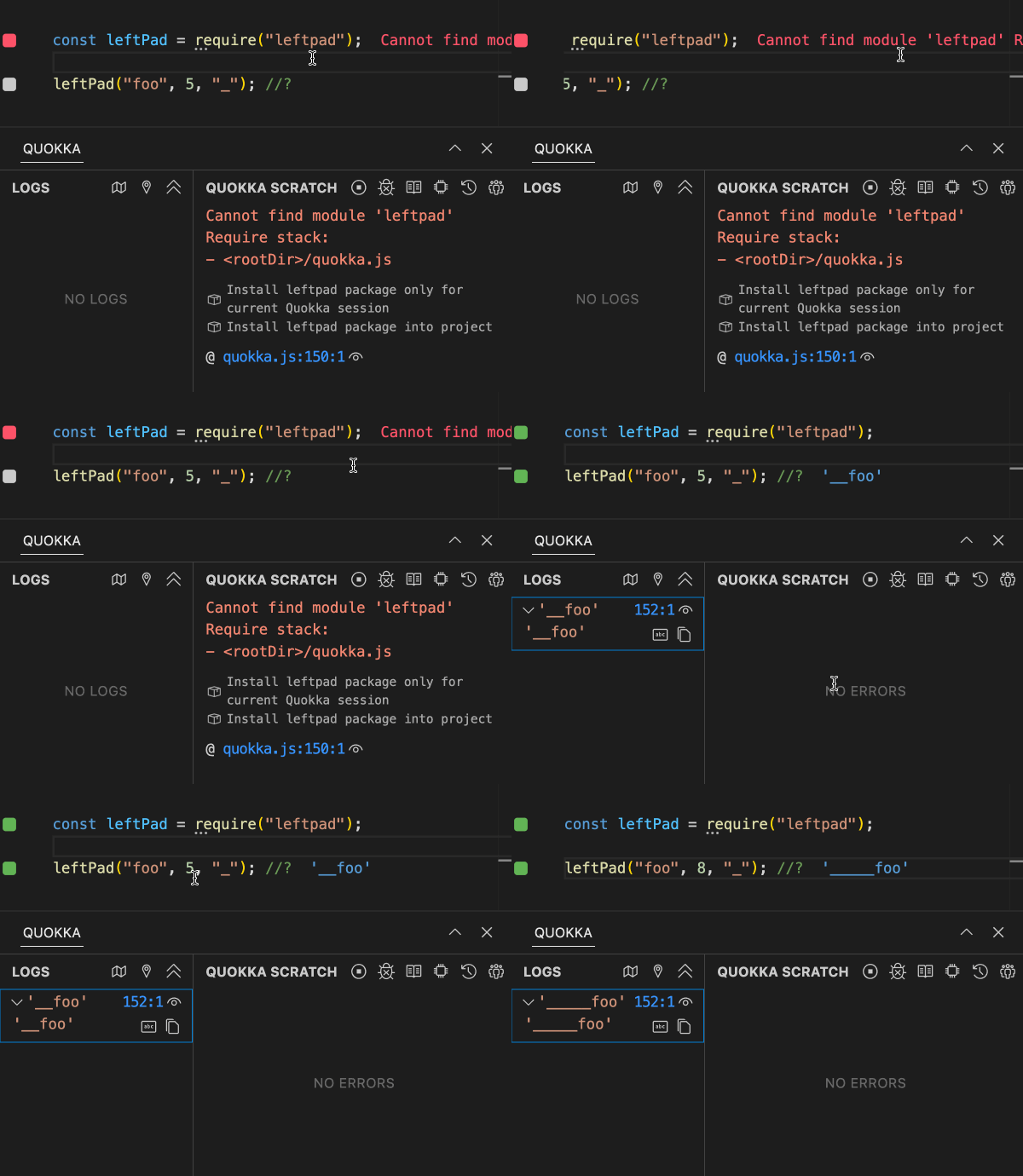
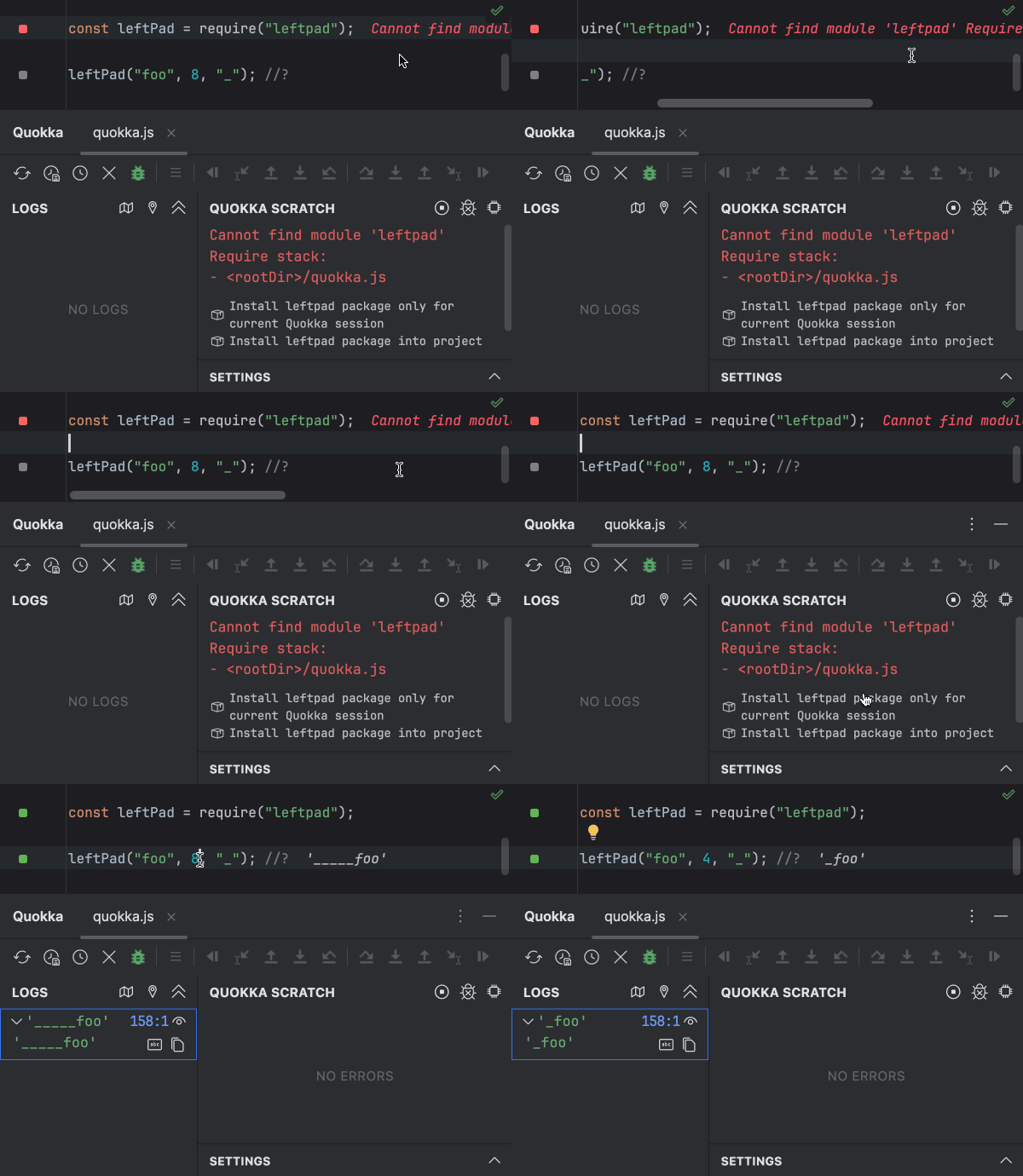
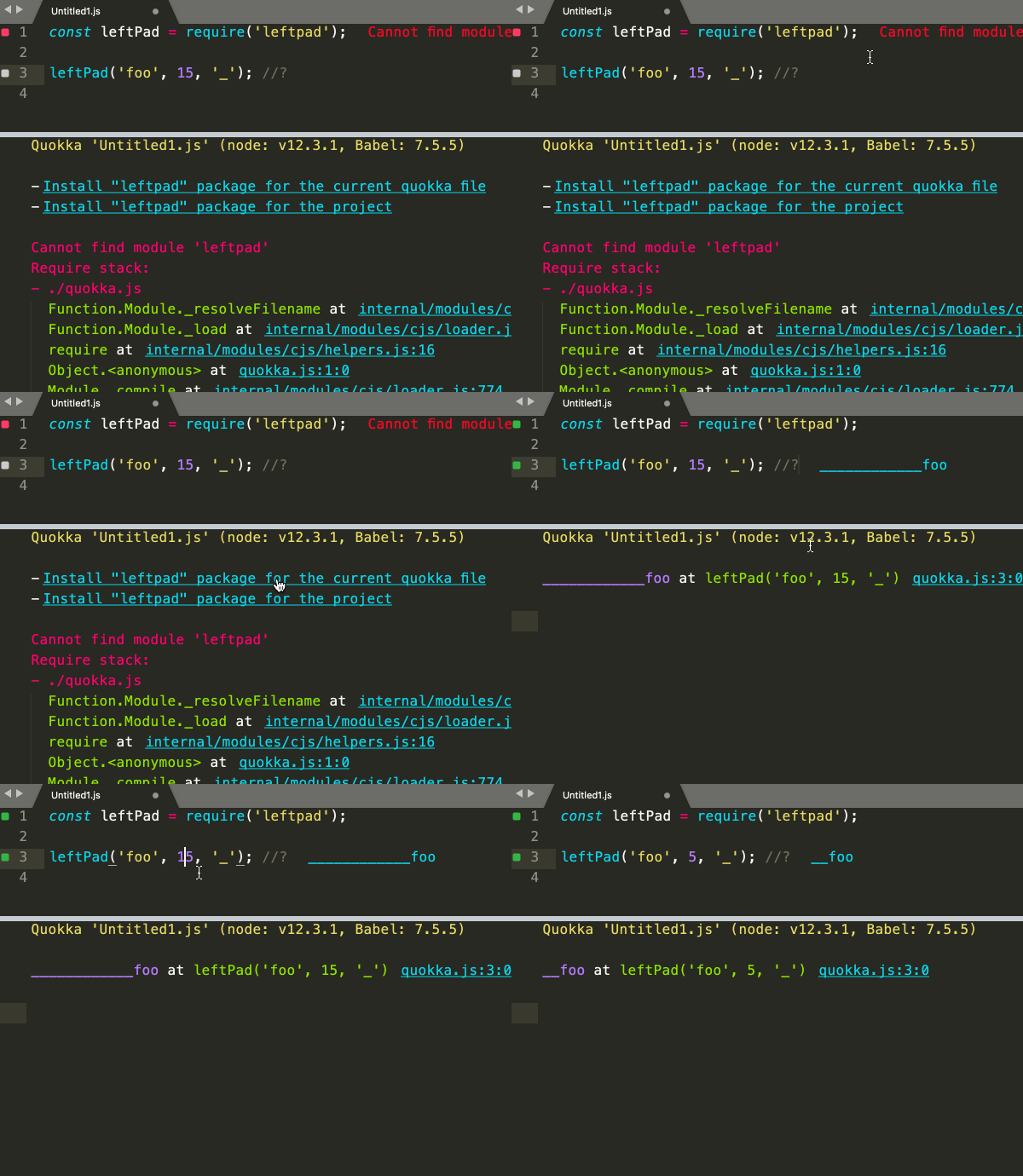
Quickly install any node package, without switching away from your editor, and without having to type the package name. When you install, choose whether to install just for the active Quokka session or for your entire project.
Join over 1 million developers and companies worldwide who have boosted their productivity and output with Quokka.js.
https://t.co/u1jy4aMHBY is a VSCode extension with real-time evaluation, logging, coverage & suggestions. Useful for quick prototyping! pic.twitter.com/JDPtoClFau
— Addy Osmani (@addyosmani) November 3, 2019
Ever use your Browser's console as a little scratchpad to try JavaScript? Now you can use VS Code as a REPL!
— Cory House (@housecor) March 5, 2018
Install the Quokka.js plugin and see the output of your JS with every keystroke!
(Used by @mpjme on Fun Fun Function) pic.twitter.com/PGyCyjGhwp
Quokka.js
— Kent C. Dodds 🧢 (@kentcdodds) October 18, 2019
I'll admit. I've been sleeping on @wallabyjs' Quokka for a long time. Finally decided to pick up a price license. It's a major game changer, especially for TS development.
— Jesse Martin (@motleydev) December 14, 2022
Wallaby/Quokka is a MUST-have for all #JavaScript heavy #devs.
— iPAINTCODE (@iPAINTCODE) August 19, 2022
Just did the Diamond kata in less than 10 minutes, with no tests, in QuokkaJs from @wallabyjs and GitHub Copilot.
— David Whitney (@david_whitney) July 8, 2021
Just out of curiosity really. I obviously edited the code on the way to make it actually work but took most of the code hints and left them as-is. pic.twitter.com/rtwGJURNYA
I've been heavily using the Quokka.js VS Code plugin as a learning tool to help test out some features of the core JavaScript language. It gives you live results of variables (right in your editor) without having to manually launch a command to log out values. pic.twitter.com/18aeF7g0Pl
— Robert Cooper (@RobertCooper_RC) December 22, 2018
QuokkaJS by @wallabyjs is a nifty rapid JS prototyping tool https://t.co/59qYI78Nal
— Adina Halter (@haltersweb) September 22, 2018
Blogged: "Using Quokka.js for Real-Time Feedback in TypeScript" https://t.co/GE0fZ3K5Xy
— Allen Conway (@AllenConway) April 2, 2019
Create JavaScript Scratchpad with quokka.js in VSCode - #javascript lesson by @DivDev_ https://t.co/SHfFQKhbdH
— egghead.io (@eggheadio) March 19, 2020
Oh, the Quokka.js @code extensions is awesome for teaching - show the result of a JS expression right on the same line: https://t.co/VvT7hdks75
— Chris Heilmann (@codepo8) June 15, 2021
🧑💻 Try and play with JavaScript/TypeScript without leaving your code editor, thanks to Quokka.js made with 💛 by @wallabyjs 🎉
— Antistatique (@antistatique) June 30, 2021
Impressive, it’s not even the focus of the tweet - but you can see how quokka logs to the REPL whatever is under the cursor towards the end of this gif. What a great idea.https://t.co/5x0o8w8yFj
— ./orta --black-lives-matter (@orta) July 8, 2021
Just ordered a @wallabyjs + Quokka.js licence after a 15 days trial 🥳. These tools are so good ! How can we work without them 🙃 ?
— Raphaël Moreau 🚀 (@rphlmr) March 12, 2020
Quokka.js from @wallabyjs is def one of my fav extensions in #vscode. Drop some of your fav extensions if you use viscose. #100DaysOfCode #javascript #CodeNewbies #code
— Taryn King (@iimkiing) August 13, 2020
I love Quokka.js.https://t.co/iEoi1gl1gQ
— dao_leno (@dao_leno) April 15, 2020
Not enough people know about https://t.co/YibJd041YG! For the longest time I'd boot up codesandbox/codepen for a notepad to test out functions or ideas; Quokka let's you do it in your own editor and is _super_ fast and really convenient.
— Chris Dhanaraj (@chrisdhanaraj) February 12, 2020
Really liking #Quokkajs with #vscode
— Peter Chapman (@pychap) October 22, 2019
Having instant feedback as I write is awesome. No more copying and pasting into devtools.https://t.co/FIA2x6jRLE
The Quokka VS @code extension from @wallabyjs is the EASIEST way I’ve found to test out little snippets of JavaScript!
— James Q Quick (@jamesqquick) December 27, 2022
I use it all the time in my videos. pic.twitter.com/w5El7qzAQE
Quokka.js is a dope VS Code extension! Runtime values are updated and displayed right in your editor. pic.twitter.com/MJL07CVI7m
— Jeremiah Peoples (@We_The_Peoples) October 6, 2021
I really love Quokka.js https://t.co/heqQK8NTj5 especially with the VSCode extension. Makes me so productive and I get immediate *inline* feedback for code I write.
— Dominic Elm ⚡️🚴♂️ (@elmd_) January 12, 2022
Same goes for Wallaby.js https://t.co/FT1KREwnNX
If you do serious JS/TS development you need to checkout QuokkaJS by @wallabyjs
— Saša 🤠🌍📈 (@SasaCocic) December 7, 2021
it'll speed up your dev. time a bunch
How? It gives you immediate feedback when coding.
Here's a taste of some of the things you can do pic.twitter.com/FtlJ0vEe1B
If you are learning JavaScript please install Quokka extension by @wallabyjs - it can give you so many insights on your code live and has a generous free plan 🤑
— Dimitri 🔥 Ivashchuk (@DivDev_) January 17, 2022
One of my favorite extensions so far! pic.twitter.com/iPlUIbcKHL
Introduced myself to Quokka JS extension on Visual Studio Code Editor so that I can get the live feedback of the Developer Console inside the editor. It's very helpful for Typescript and writing JS logic.#365CodingPhaseChallenge #CodingPhase #TheCodingWay pic.twitter.com/Z00hZDpYWo
— William Randolph (@William52821032) December 7, 2019
Quokka.js, hands down. Couldn’t live without it! https://t.co/hR4v9agrot
— Luke Bayliss (@lpbayliss) August 14, 2019
heard many times before! tried today, Simply awesome #quokkajs.
— p0k8_ (@p0k8_) May 25, 2017
Live scratchpad (faster than light) and even amazing on @code #javascript pic.twitter.com/vU7b2eXozn
Really liking #quokkajs with #vscode. Instant feedback shortening the loop even more.
— Mark McFadden (@m2web) March 17, 2017
My new favorite VSCode extension is Quokka.js which allows you to see your console logs in the file you're writing as you're writing without having to run anything in the terminal or browser. Recommended
— Kudzanayi (@codename_kd) May 11, 2020
⚡️ Tooling Tip: Quokka.js is an amazing extension that allows you to run code directly in your editor. I use it all the time to prototype or when I live code in presentations. https://t.co/HG5kVmYQ2T pic.twitter.com/AUHwQ3XC8h
— Anton Gunnarsson (@Awnton) February 21, 2019
vscode + quokkajs extension = ❤️ https://t.co/KjwBLGKdGi #vscode @wallabyjs 👍
— webfabric 🇵🇷 (@webfabric) February 4, 2019
Really liking #Quokkajs with #vscode
— Peter Chapman (@pychap) October 22, 2019
Having instant feedback as I write is awesome. No more copying and pasting into devtools.https://t.co/FIA2x6jRLE
As I work more heavily with JS in VS Code, Quokka has become my favorite extension.https://t.co/WINT7Jm9fK
— Doug Linley (@douglinley) September 27, 2018
Why having a short feedback loop when you can have an immediate feedback on your code? This I'm pretty sure, is how the future of programming looks like https://t.co/7TXTNAHfmR
— Karl (@NiebuhrKarl) August 14, 2018
Really enjoying Quokka JS (https://t.co/75X5BmBYVq)
— Lou (@loujaybee) June 21, 2018
Live updates from your code in real time in VSCode...
All of my time alerting at University was wasted! #javascript pic.twitter.com/fTE7rxhYRd
I keep finding uses for Quokka.js, like debugging production issues, as I continue exploring it. It's feedback cycle is awesome, take a peek at their Community edition to wet your appetite https://t.co/EAspFp2x9O . A big thank you to the @wallabyjs team... good work!
— Cory Wheeler (@corywheeler1) June 1, 2018
oushit Quokka Js !!!! https://t.co/87lKGGwtrN @mpjme thanks thanks!!! pic.twitter.com/kZ12sOqBtM
— Elias Martinez (@eliasmsedano) May 24, 2018
I bet you were looking for this since ages. Makes life easier of every JS developer.
— Atit Patel (@atitpatel02) April 30, 2018
Introduction https://t.co/STYPzfzWlY #quokkajs #plugin
Want to save even more time? Ditch the node REPL and use Quokka by @wallabyjs instead. https://t.co/Wwb8BQ7uDX
— Hendrik Liebau (@unstubbable) March 17, 2018
Trying out Quokka on some TypeScript. Pretty nifty that it shows you the value as you type the code, nice hybrid between an editor and console pic.twitter.com/6ZvDDZhYrk
— Wes Bos (@wesbos) April 2, 2021
If you haven't checked out Quokka.js from @wallabyjs yet, it's a really cool scratchpad for quick testing and prototypinghttps://t.co/e5uM4TIe2g via @YouTube
— Brad Traversy (@traversymedia) March 8, 2021
Loving using Quokka from @wallabyjs as a JS playground in VS Code, very handy and well worth a look. https://t.co/kOZL2v4Ajm
— Dan Parkin (@danpkn) December 19, 2017
quokkajs by @wallabyjs is pretty damn great to use within @code. found this through seeing @mpjme use it on his video. really really neat. https://t.co/8olWgHAaqW
— Harry Wolff (@hswolff) November 21, 2017
just bought Quokka.js pro for VSCode. This is a very cool javascript REPL in your editor. https://t.co/zlFtJk4N3b
— Piet Groot Kormelink (@pietgk) October 11, 2017
Just refreshed my https://t.co/QO87N823Vn licence to cover all editors, and bought https://t.co/qi9SKSqPTb while I was at it. Great tools!
— Dave Irvine (@dave_irvine) October 6, 2017
https://t.co/MMPyXWr5tR is just awesome. As well as wallaby.js. Big part of my workflow these days.
— Nawal 'Deshi' Rahim (@deshiknaves) September 24, 2017
QuokkaJS, such an awesome tool. https://t.co/AZ3T8gPhFd. JS/TS Scratchpad in your editor.
— Jake Ginnivan (@JakeGinnivan) August 6, 2017
Just discovered Quokka.js and I absolutely ❤️ it! It’s most definitely in 5 tools I’m using for JS programinghttps://t.co/arIBBjVgQS
— gozala (@gozala) July 27, 2017
Just found Quokka and am in love. https://t.co/dnzIEXuF14
— Julian Torres (@macintacos) July 19, 2017
I'm late to the party, but Quokka.js from @wallabyjs gets a very rare "😍" from me! https://t.co/2h1qm7L2j1
— Jesse Martin (@motleydev) July 17, 2017
Just installed https://t.co/Jx4BPQMNaz in VS Code. Probably the most useful extension I'll ever install.
— Sunny Singh (@sunnysinghio) June 24, 2017
When I thought I had all the dev tools I needed. https://t.co/cqFHSR1GbO #SoftwareDeveloper #webdevelopment
— Travis Barajas (@tvbarajas) June 23, 2017
This tool right here... is MAGNIFICENT! Evaluating your JavaScript inline in your editor 🤤 #js #javascript #react
— Jon Major Condon (@jonmajorc) June 12, 2017
➡️ https://t.co/FwYx8IMt6h
Quokka.js is the JavaScript editing experience I’ve been waiting on for the past decade - Finally! https://t.co/Y19aEzUDUX @wallabyjs ⭐️
— Joe Seifi (@joeseifi) May 1, 2017
Quokka.js increases your productivity by reducing the time it takes to run experiments.https://t.co/xeaxjsyYxi https://t.co/55uoTzqKYq
— Ninjadevs.io (@ninjadevsio) April 29, 2017
With quokka.js I can practice without needing to get out my editor... 😍😍😍
— • Oly, O Nerd • (@olimpioadolfo) January 8, 2020
Day 16: I'm currently #learning #js tonight! Check this #awesome #vscode #extension named #Quokkajs by @wallabyjs. This tool can show the result of my #javascript #code in the #editor!!!#100DaysOfCode #webdevelopment #CodeNewbie #portfolio #firefox #code #html #css #javascript pic.twitter.com/ilITgHaIw5
— JerylDEv (@JerylDEv) January 15, 2020
So cool. Quokkajs, a live scratch pad for JavaScript, TypeScript, Babel and JSX inside of VS Code. https://t.co/OSWCOgcitO
— Ryan Spears (@RyanSpears1) April 16, 2017
@wallabyjs This alone made my entire 2017 an awesome year! This is the future of JS #quokkajs https://t.co/cEQmq1XgVa #LiveScripting 😂
— kyle J Rebstock (@kjr247) April 14, 2017
If you use @code then install https://t.co/B5DtfHxdSz right away — this is like https://t.co/2doEUd9rpo but on your local machine. Amazing!
— Doguhan Uluca (@duluca) March 21, 2017
@wallabyjs Quokka.js with @code is fantastic! ♥️the #developer experience with #JavaScript | https://t.co/bUFew4Al9G pic.twitter.com/JKIfRGgiyx
— Sivaraj Ambat (@sivarajTweets) March 19, 2017
I solve coding problems online and #quokkajs extension for @code is helping me big time. Thanks @wallabyjs | https://t.co/HSAxcibFwz
— Taufiq Ahmed (@taufiqahmed) March 18, 2017
Write #js, #jsx, #typescript code and see the output immediately https://t.co/EuOhHqk3j1 #quokkajs scratchpad is one fancy @code plugin ♥️
— activenode (@activenodeio) March 18, 2017
Yet another gem from the #wallabyjs team: https://t.co/amnxZnQekw #NodeJS #Javascript
— Sam Hatoum (@sam_hatoum) March 18, 2017
Need to experiment with a new framework or language feature? Check out Quokka.js - a free, live scratchpad for #JS https://t.co/RenuJQgxep
— TinyMCE (@tinymce) March 17, 2017
Previously I used jsbin for quick experiments and now with https://t.co/gRnNix5vuF I can do it inside @vscode also tracked by @WakaTime
— Samiullah Khan (@technbuzz) March 17, 2017
I can imagine using https://t.co/sVyrRusR3w for teaching programing. Sub-second feedback is king.
— Juan Morales (@crispamares) March 15, 2017
via @victorianoi
I ❤️ https://t.co/bc5O5PMttm #js
— Gabo Esquivel (@gaboesquivel) December 8, 2020
https://t.co/FVYNaZ3AyD - @wallabyjs created an awesome real-time #vscode plugin that turns the editor into a repl: live results on each line. This is a phenomenal teaching and experimenting tool. #JavaScript #developer #awesome
— Rob Richardson (@rob_rich) December 31, 2020
Quokka.js is...amazing. So good for testing JavaScript code on the fly. Highly recommend to any JS devs, especially those learning the basics pic.twitter.com/r7m4IU2kAv
— Stuart Mack (@strtmack) January 8, 2021