Quokka v3
Quokka v3 is now available, with a redesigned output experience that makes runtime values easier to navigate, inspect, compare, and understand without leaving your editor.
The new UI is centered around an improved Output and Details workflow. The output list is optimized for scanning logs, errors, and source locations, while the details pane gives selected values more room for deep inspection.
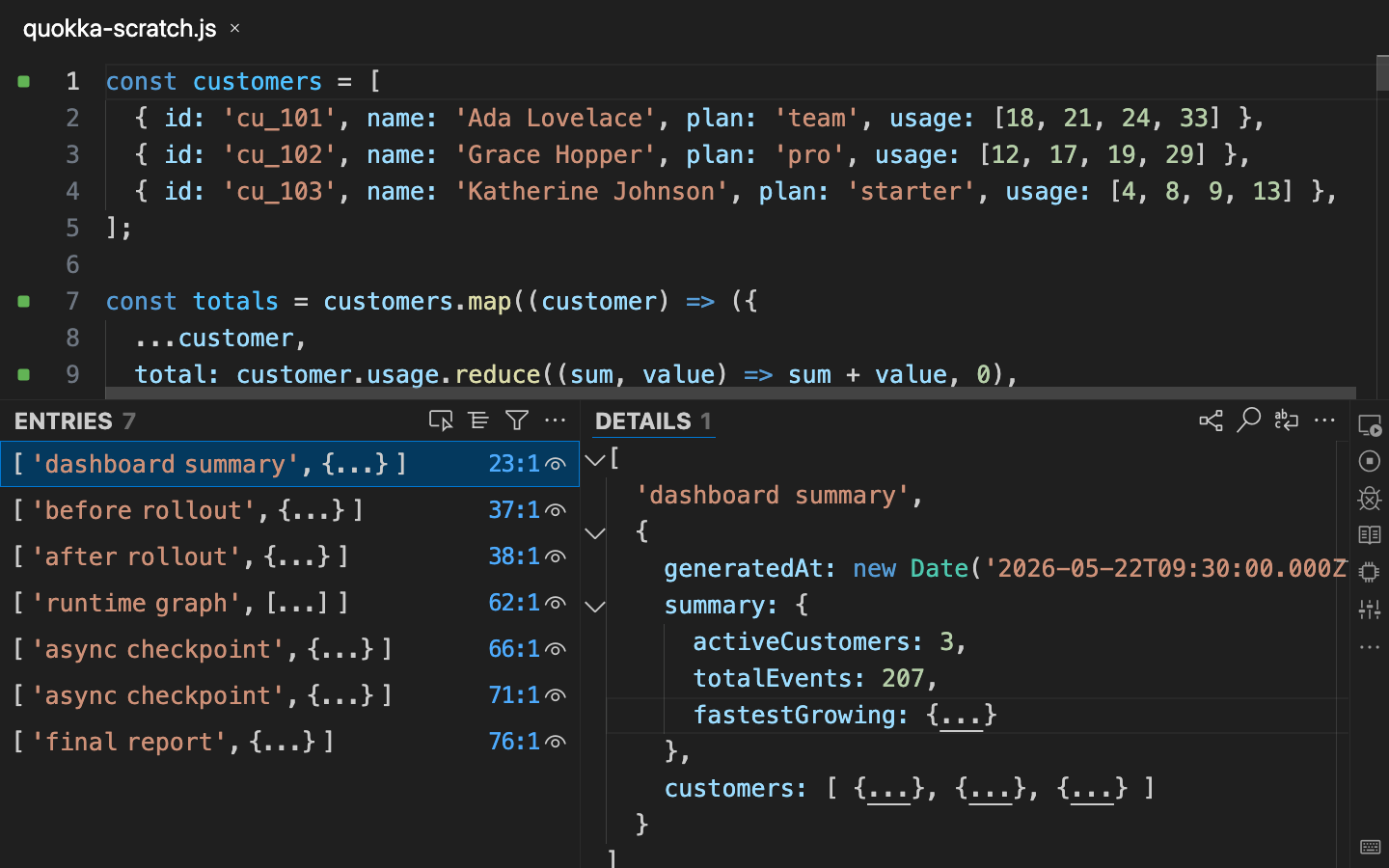
What’s new
- Refreshed UX/UI: a cleaner, more focused design for moving between code, output, and detailed runtime values.
- Improved output navigation: select output entries, jump back to source locations, and keep your place as Quokka re-runs your code.
- Richer value exploration: inspect nested objects with folding, indentation guides, sticky context, raw string display, and more stable deep value rendering.
- Output while code is still running: see partial results as Quokka continues executing longer-running or asynchronous code.
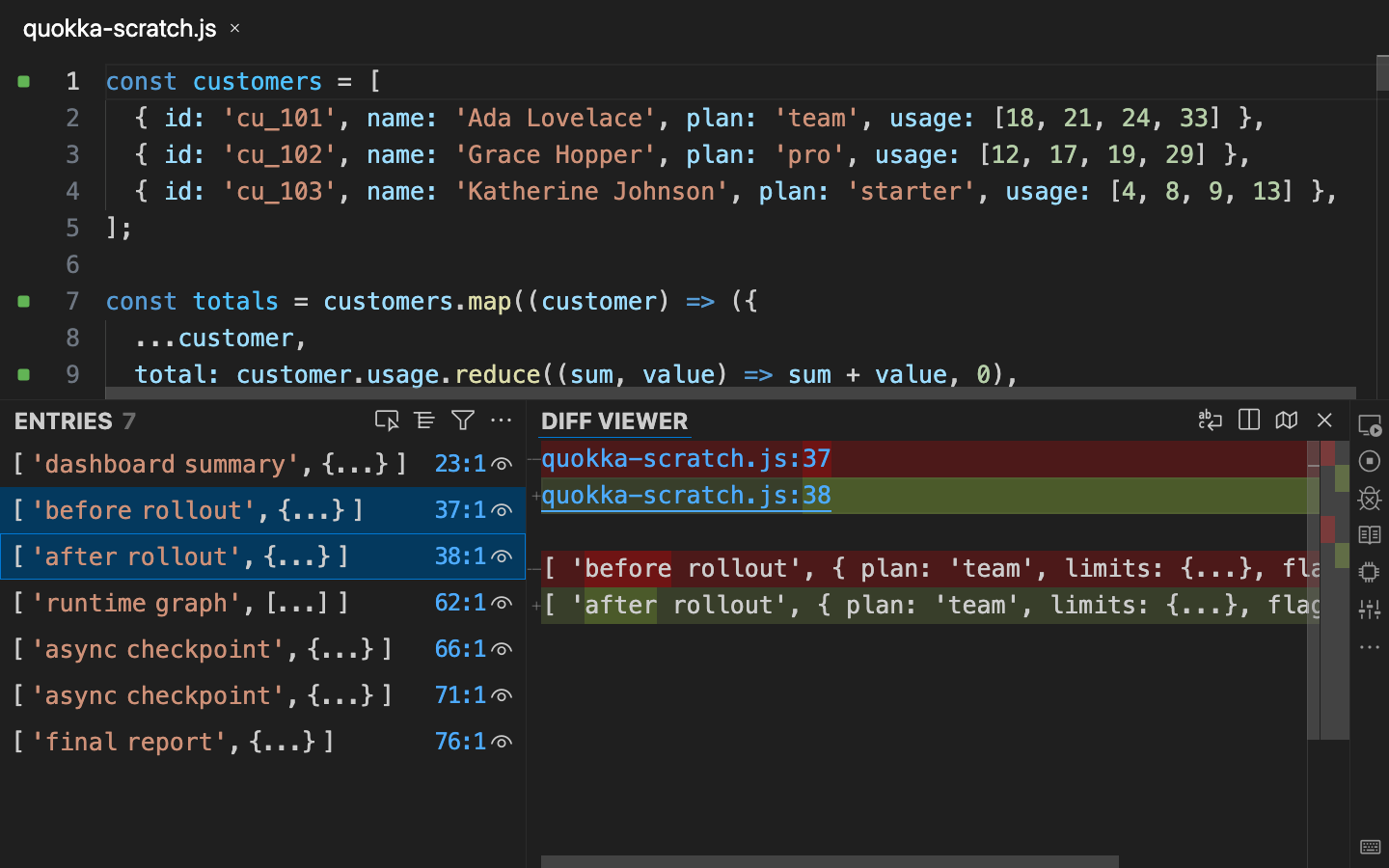
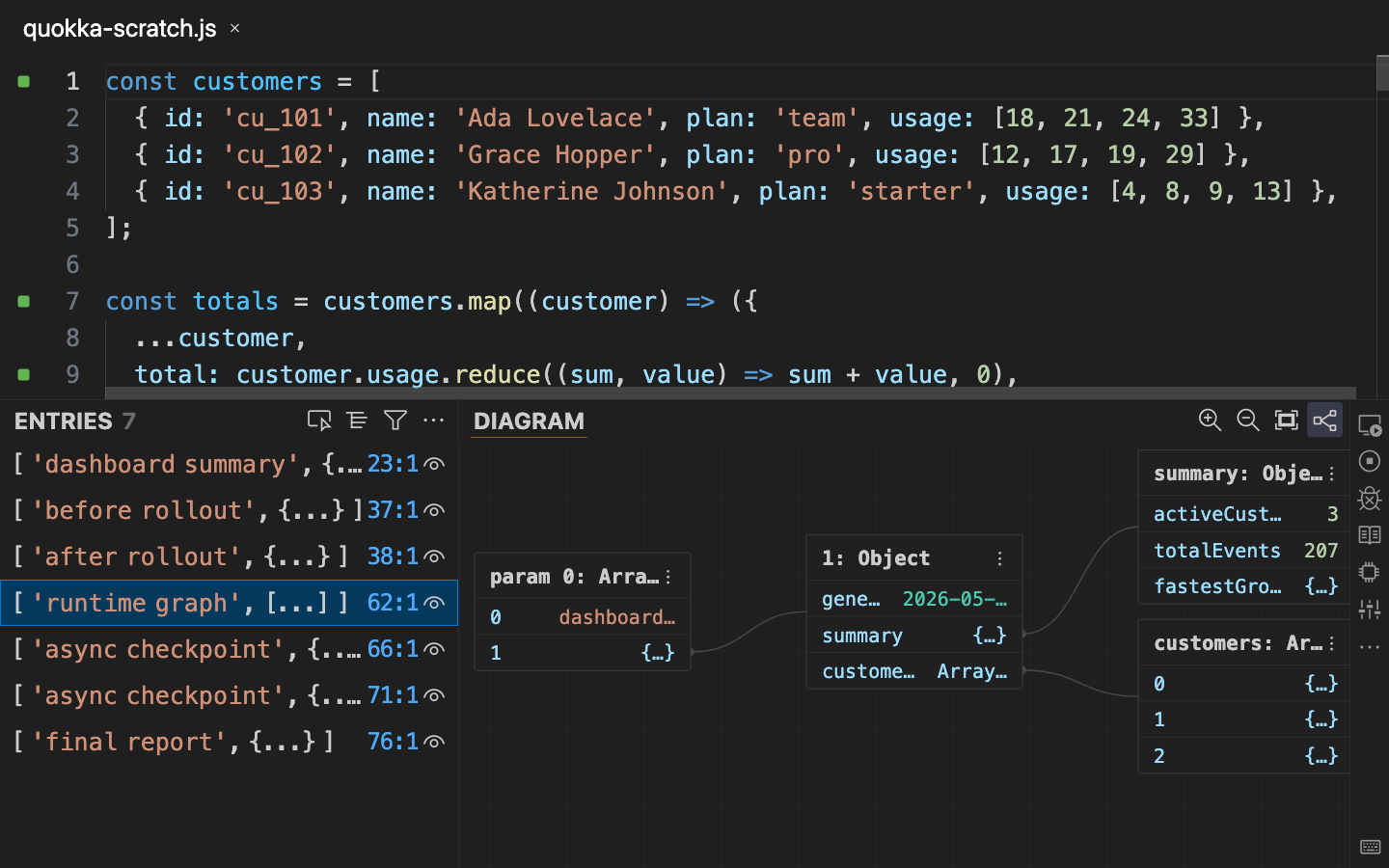
- Diffs and diagrams in context: compare related values side by side, or open supported structured values as interactive diagrams.
- More discoverable runtime controls: access session/global settings for Auto Log, Value Peek, Show Value on Selection, inline value display, and Run Mode from the Quokka UI.
Diffs and diagrams
Quokka v3 brings richer output tools directly into the new workflow. Select compatible values to compare them side by side, or open supported structured values as diagrams when a visual shape is easier to understand than nested text.
Try it out
Install or update Quokka in VS Code, open a JavaScript or TypeScript file, and start a Quokka session. Try logging a large nested object, selecting entries in the output list, comparing related values, opening a diagram, and adjusting the runtime feedback controls to match the way you are exploring your code.
For the full release write-up, see the Quokka v3 blog post.